
YouTube Description Best Practices: What to Include for Every Video Type
Most creators treat the description box as an afterthought. They upload the video, paste a link or two, and move on. That habit quietly costs views. A well-built description sells the click, keeps viewers watching, and tells YouTube exactly who your video is for. It also feeds Google web search, which means one box of text works for you across two search engines at the same time.
This article breaks down what to put in a YouTube description, element by element, and then shows how the structure shifts for tutorials, vlogs, reviews, Shorts, and podcasts. If you want a plug-and-play starting point before you read the full breakdown, grab our YouTube description template and fill in the sections as we cover them. Everything below tells you what to include, where to place it, and what to leave out.
Why Your YouTube Description Does More Than You Think
The description box performs three jobs at once, and each one affects your view count in a different way.
It sells the click. The first 150 characters show up as a preview in search results and recommended feeds. Before anyone hits play, that preview snippet works alongside your title and thumbnail to convince a scrolling viewer that your video answers their question. A vague opening line wastes that moment. A specific one earns the click.
It delivers value after the click. Once someone is watching, the description becomes a resource hub. Timestamps let them jump to the exact section they need. Links point them to the tools, products, or follow-up videos you mentioned. A viewer who finds what they came for stays longer and comes back, and watch time is the metric YouTube cares about most.
It signals the algorithm. YouTube reads your description text to understand your video’s topic. That understanding drives how the platform categorizes your content and which searches it surfaces you for. The keywords and phrasing you choose here directly shape your discoverability, which is why we treat description writing as a core SEO task rather than a formality.
There is a fourth benefit that most competitor guides skip entirely, and it is a big one. Google indexes YouTube video pages for organic web search. When someone types a how-to query into Google, YouTube results frequently appear near the top, and the snippet Google shows is pulled from your title and description. That gives you a dual-channel traffic stream: viewers who find you inside YouTube, and searchers who find you through Google without ever opening the YouTube app first. One description, two front doors.
There is also the “suggested video” connection. After the initial click, YouTube keeps matching your video to viewers through the sidebar and autoplay. A description packed with clear, relevant context helps the system understand your video well enough to recommend it to the right audience, and to place it next to related videos those viewers already trust. Weak descriptions leave the algorithm guessing.
Consider two versions of the same upload to see the gap. Version one reads: “New video is up. Thanks for watching, don’t forget to like and subscribe. Links below.” Version two reads: “Beginner sourdough starter, no special equipment. This guide walks you through day one to your first bake, including how to tell when your starter is ready and the three mistakes that kill most starters.” Version one tells YouTube almost nothing and gives a scrolling viewer no reason to stop. Version two names the topic, the skill level, the outcome, and the pain points, all of which help the platform categorize the video and help a searcher decide to watch. The two descriptions cost the same effort. Only one earns views.
That difference compounds over a channel. A single strong description helps one video. A habit of writing strong descriptions trains YouTube to understand your entire catalog, which sharpens every recommendation the platform makes about your content and steadily widens the audience it puts you in front of.
Before you write a single line, it is worth skimming YouTube’s official description guidelines so you know what the platform expects and what it flags. Staying inside those rules protects your reach.
The 150-Character Rule: What Viewers Actually See
YouTube truncates your description. Only a small slice shows before the “show more” fold, and everything past that stays hidden until a viewer taps to expand. That visible slice is the most valuable text you write, because most viewers never expand the box at all.
The common shorthand is “the first 150 characters,” and it is a solid rule of thumb. The reality is that the exact number of visible characters shifts depending on where your video appears:
- YouTube search results: roughly 100 to 120 characters of description text show under the title.
- YouTube homepage and recommended feed: often even shorter, sometimes just a line or none at all depending on layout.
- Google web search snippet: around 160 characters, similar to a standard meta description.
- Mobile YouTube app: less than desktop, since the watch page reserves screen space for the title, channel name, and buttons.
The contexts differ, but the priority rule stays the same everywhere: your opening text carries the most weight, so treat it as prime real estate. Do not waste it on “Welcome back to my channel” or a string of social handles. Write the first two sentences as if they are your only chance to hook the viewer, because in most feeds they are. Front-load the topic, the keyword, and the payoff. Save the housekeeping for below the fold.
A practical test: read only the first line of your description out loud. If it does not make a stranger want to watch, rewrite it before you publish.
What to Include in Every YouTube Description (The Complete Checklist)
Every strong description shares the same core parts, regardless of niche. Here is what to include in a YouTube description, in the order it should appear, with the reasoning behind each piece.
Your target keyword in the first 2 sentences
Place your primary keyword naturally inside the first 100 characters. If your video is a beginner’s guide to sourdough, the phrase “beginner sourdough” or “sourdough for beginners” belongs in that opening line. YouTube’s algorithm reads early keyword placement as a strong relevance signal, and the same text doubles as the Google search snippet, so early keywords help both engines understand your topic fast.
Keep it human. Use one primary keyword and one or two semantically related terms, then stop. “Sourdough bread recipe, easy sourdough, homemade sourdough, sourdough starter, no-knead sourdough” is not optimization, it is stuffing, and it reads like spam to viewers and to YouTube alike. One clear keyword woven into a real sentence beats five keywords crammed into a list.
A quick way to find your primary keyword: ask what a viewer would type into the search bar to land on your video. That exact phrase is usually your target. Semantically related terms are the words that naturally surround that phrase in real conversation. For a knife-sharpening video, the primary keyword might be “how to sharpen a kitchen knife,” and related terms would be “whetstone,” “sharpening angle,” and “honing.” Those extra terms give YouTube a fuller picture of your topic without any keyword stuffing, because they belong in the sentence anyway.
A clear video summary (2-4 sentences)
State what the video is about and what the viewer walks away with. Two to four sentences is enough. The strongest summaries lead with a benefit statement: name the specific outcome the viewer gets by watching. “By the end of this video you will have a working sourdough starter and know exactly when it is ready to bake with” tells the viewer why the next ten minutes are worth it. Compare that to “In this video I talk about sourdough,” which promises nothing.
Write the summary for a person first and the algorithm second. When you describe the real value clearly, relevant keywords tend to appear on their own.
Timestamps and chapters
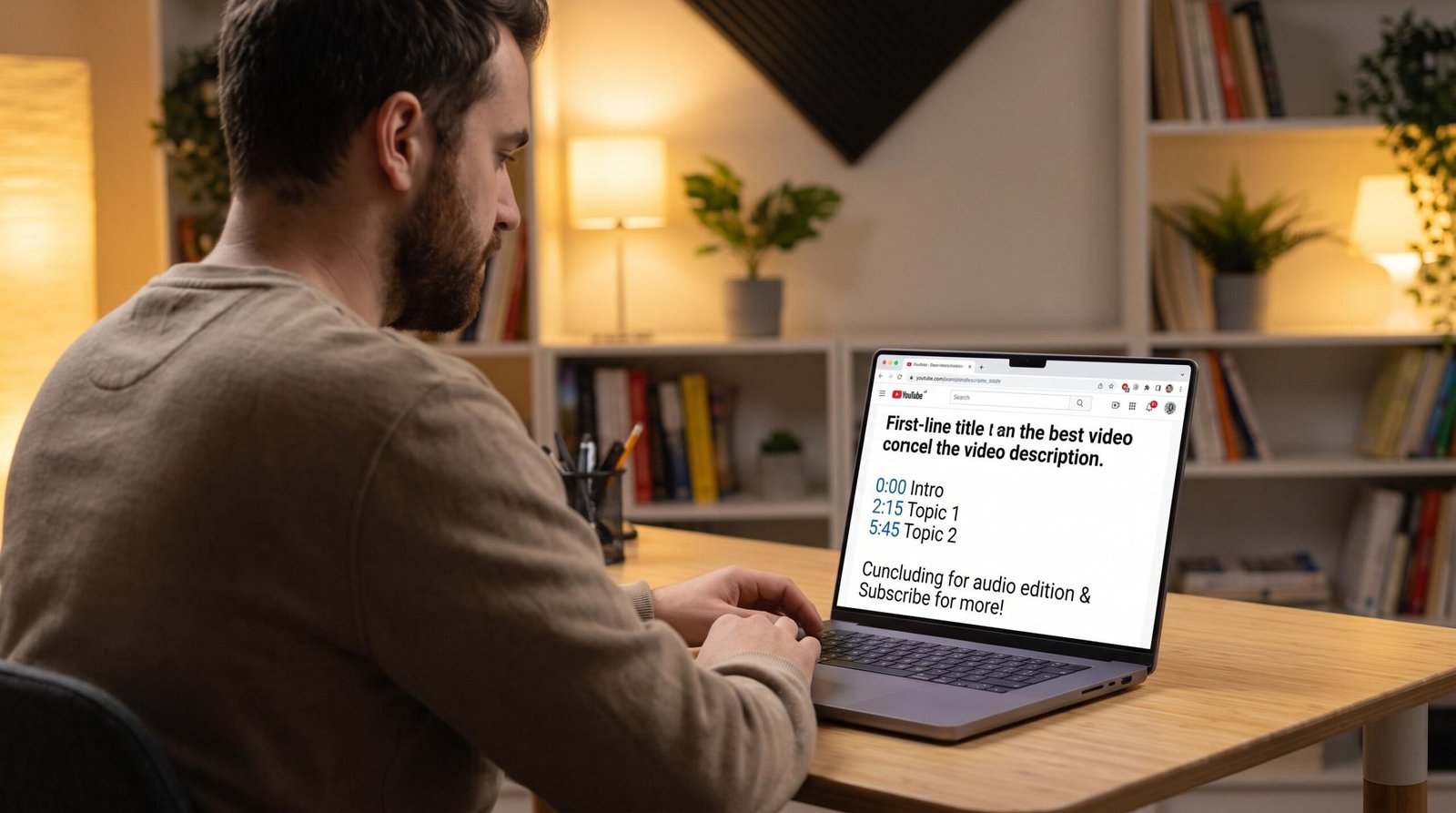
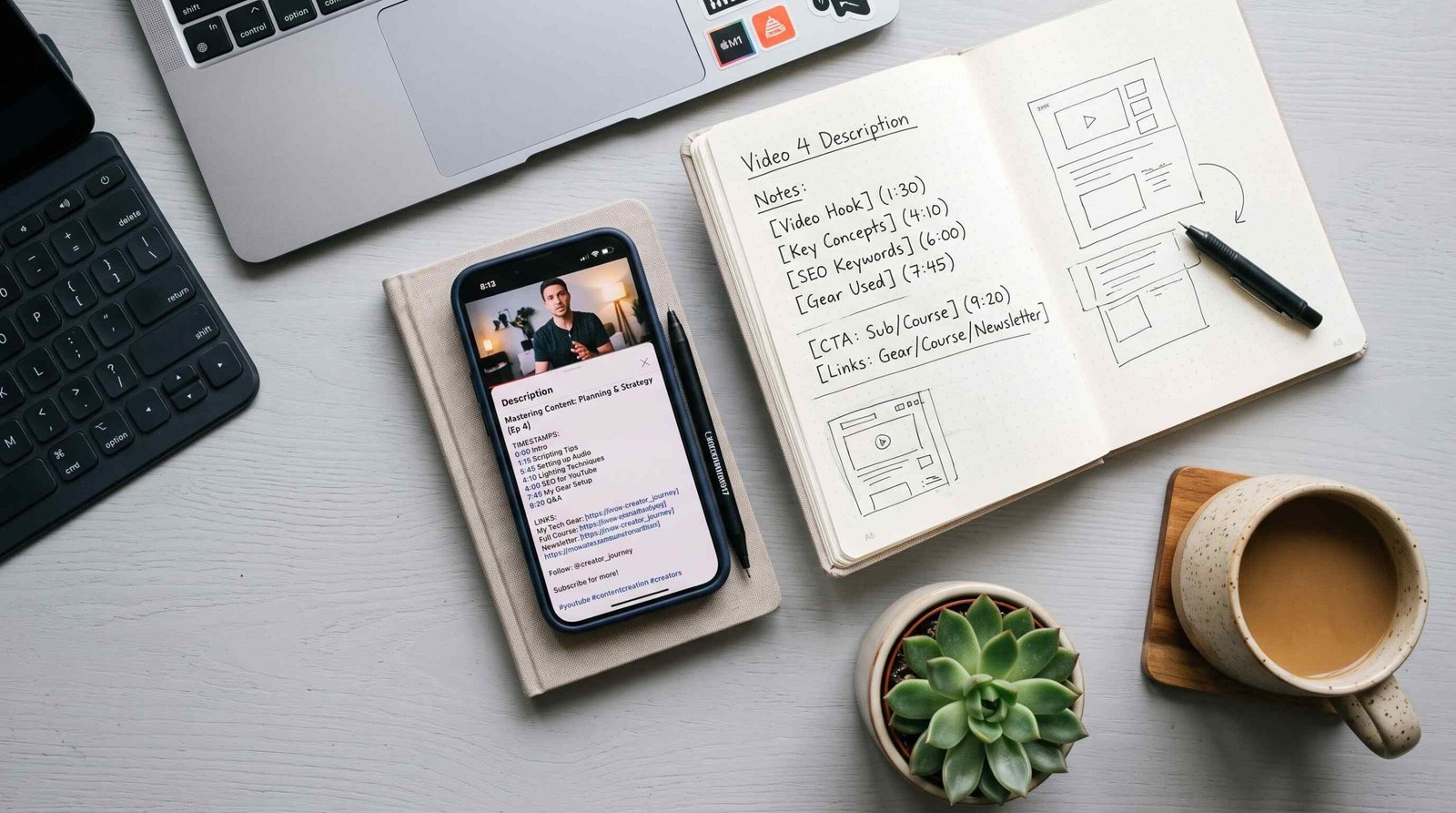
For any video over 5 to 10 minutes, treat timestamps as a must-have. They turn a long video into a navigable resource and unlock YouTube’s chapter feature on the progress bar. Format them as a simple list, starting at zero:
0:00 - Intro
1:42 - What you need to get started
4:15 - Step one: feeding the starter
7:30 - Common mistakes to avoid
The first timestamp must be 0:00 for chapters to activate. Each chapter label carries an SEO bonus, because every heading is additional keyword real estate that describes a distinct part of your video. There is a retention payoff too: viewers who can skip straight to the section they need are more likely to watch that section all the way through, which sends YouTube stronger engagement signals than a viewer who bounces because they cannot find what they want.
For a deeper walkthrough on formatting, chapter minimums, and troubleshooting, see our full guide to YouTube timestamps.
Relevant links
Links belong in the middle of your description, after the summary and call to action. Order them by importance so the most valuable link sits at the top of the block:
- Your most important link first: your website, landing page, or the primary destination you want viewers to reach.
- A related video that continues the topic and keeps the viewer on your channel.
- Your subscribe link.
- Resources or references you mentioned in the video.
- Your social profiles.
Never label a link “click here.” Use descriptive anchor text that tells the viewer where the link goes, such as “Download the free sourdough schedule” or “Watch the full starter troubleshooting video.” Descriptive text helps viewers and gives search engines context about the destination.
For affiliate links, add a short context sentence before the link rather than dropping a raw URL. “The banneton I use in this video is here:” followed by the link reads as helpful. A naked URL with no explanation reads as spam and gets ignored.
Keep the total link count modest. Three to five links is plenty for most videos. Every additional link splits the viewer’s attention and lowers the odds they click the one that actually matters to your goal. If you have a long list of resources, consider grouping them under a short label like “Tools mentioned in this video” so the block scans quickly rather than reading as a wall of URLs. And place your single most important destination first, because links lower in the block get progressively fewer clicks as viewers lose patience.
A clear call to action
Pick one primary call to action per description. Asking viewers to subscribe, like, comment, download a resource, and visit three different sites all at once splits their attention and gets none of it. Choose the single action that matters most for this video, then place it right after the summary and before the link block.
Make it specific. “Watch my full tutorial on building a sourdough starter” outperforms “Check the link below” because it tells the viewer exactly what they get and why. A vague CTA is easy to scroll past. A concrete one gives the viewer a reason to act.
2-3 relevant hashtags
Add two or three relevant hashtags at the very end of the description. YouTube pulls the first three and displays them as clickable links above your video title, so those three do real work in helping viewers find related content. There is a hard penalty worth knowing: if you use more than 60 hashtags, YouTube ignores every single one of them and may treat the video as spam. More is not better here.
For Shorts, hashtags carry extra weight because they appear over the title and help the format’s discovery system categorize your clip. If you want the full breakdown on choosing tags, placement, and the count that actually helps, read our YouTube hashtags guide.
Here is the complete checklist in one view:
| Element | Required | Where to Place | Length/Format |
|---|---|---|---|
| Target keyword | Yes | First 2 sentences | Natural, not stuffed |
| Video summary | Yes | Above the fold | 2-4 sentences |
| Timestamps | For 5+ min videos | After summary | 0:00 format |
| Links | Yes | Middle section | Descriptive CTAs |
| Call to action | Yes | Before links | 1 sentence, specific |
| Hashtags | Recommended | End of description | 2-3 only |
To see the checklist assembled into a finished description, here is how the pieces fit together for a sample tutorial:
Learn how to sharpen a kitchen knife on a whetstone, even if you have
never done it before. This video takes you from a dull blade to a
razor edge in under ten minutes, covers the exact sharpening angle to
hold, and shows the honing step most people skip.

Watch my full knife care series next: [related video link]

Tools I use in this video:
Whetstone: [link]
Honing rod: [link]

Timestamps:
0:00 - Intro
1:10 - Choosing the right whetstone grit
3:25 - Finding and holding the angle
6:40 - The honing step

#knifesharpening #kitchenknives #cookingskills
Every element earns its place. The opening two sentences carry the keyword and the outcome. The call to action points to a related video before the resource links. The timestamps activate chapters, and three tight hashtags close it out. Under 700 characters, and it does everything a viewer and the algorithm need.
Description Structure by Video Type
The core checklist holds for every upload, but the emphasis changes with the format. A tutorial needs different framing than a 30-second Short. Use this table to see what to lead with and how the pieces shift by video type:
| Video Type | What to Lead With | Timestamps Needed? | Key Links | Hashtag Count |
|---|---|---|---|---|
| Tutorial / How-To | Target keyword + outcome promise | Yes (always) | Resources mentioned, subscribe link | 2-3 |
| Commentary / Vlog | Hook or topic summary | Optional (if 10+ min) | Related videos, social links | 1-2 |
| Product Review | Product name + your verdict in 1 line | Optional | Affiliate link first, brand site | 2-3 |
| YouTube Shorts | 1-sentence topic statement | Never | None (URLs not clickable in Shorts) | 3-5 |
| Podcast / Interview | Guest name + topic + key takeaway | Yes (topic timestamps) | Guest’s links, subscribe | 2-3 |
A tutorial lives and dies by its keyword and the promise of a result, so lead with both and always add timestamps. A vlog leans on personality, so a strong hook matters more than rigid structure. Product reviews earn trust by stating a verdict fast and putting the affiliate link where interested buyers can find it. Shorts strip everything down to a single topic line, since links are not clickable inside the Shorts player anyway. Podcasts and interviews win on the guest and the topic timestamps that let listeners jump to the segment they care about.
Notice that the structure adapts to the format, but two rules never bend. The 150-character opening still decides whether anyone clicks, and your target keyword still belongs in the first two sentences no matter which type of video you are publishing. Build the format-specific pieces around those two constants and every description you write starts from a strong base.
A worked example helps. For a podcast episode, you might open with “Marketing strategist Dana Lee joins the show to break down how small brands win on a tiny budget,” which names the guest, the topic, and the takeaway in one line. Then you add topic timestamps so listeners can jump to the segment they want, drop the guest’s website and social links, and finish with two or three hashtags tied to the episode’s theme. For a product review of the same length, you would instead open with the product name and your one-line verdict, put the affiliate link near the top for buyers ready to act, and skip the heavy timestamp block unless the review is long. Same core checklist, different emphasis, driven entirely by what the viewer of that format actually wants.
What NOT to Include in a YouTube Description
Knowing what to leave out matters as much as knowing what to add. Most guides never cover this, which is exactly why these mistakes stay common. Avoid the following:
- Keyword stuffing. Repeating your keyword ten times or listing every variation you can think of does not boost rankings. YouTube can detect unnatural repetition and may penalize it, and viewers who see a wall of keywords lose trust instantly.
- Unrelated hashtags. Tagging a trending topic that has nothing to do with your video is clickbait, and YouTube treats mismatched hashtags as a spam signal that can suppress reach.
- Excessive links. A description with fifteen links overwhelms viewers and dilutes the one action you actually want. Keep the link block tight and ordered by priority.
- Copy-pasted descriptions. Reusing the identical description across many videos creates a duplicate content signal and tells YouTube nothing distinct about each upload. Write each one fresh, even if you reuse a boilerplate footer.
- Clickbait promises the video does not deliver. Overpromising drives clicks, then drives an immediate exit when the video falls short. High bounce rate and low watch time tank the video far worse than a modest but honest title ever would.
- Raw URLs with no context. A bare “https://…” with no call to action looks like spam and gets skipped. Always pair a link with a short line explaining where it goes.
- Profanity, hate speech, and spam. YouTube moderates description text and can limit a video’s reach or flag the channel for policy violations. Keep the box clean.
- Promotional language for products not in the video. Pushing a product you never mentioned on screen is misleading, frustrates viewers, and can trip YouTube’s spam and deceptive-practices filters.
The common thread in every item on that list is a mismatch between what the description promises and what the video delivers. YouTube’s systems are built to reward that alignment and to detect when it breaks. A description that overstates, spams, or misleads sends the viewer away fast, and a fast exit is the single clearest signal that a video did not satisfy the person who clicked. Strip these mistakes out and your description reads as trustworthy to both the viewer and the algorithm. Trust is what keeps people watching, and watch time is what YouTube ranks.
YouTube Description SEO: Beyond Keywords
Keyword placement is the foundation, but a few extra practices separate a description that ranks from one that just fills the box. If you want the full step-by-step process, our guide on how to write a YouTube description walks through it in detail. Here are the SEO levers that matter most.
Google web indexing. YouTube video pages get indexed by Google, and your description text appears in Google’s organic search snippets. That means your description competes in two search engines at once, YouTube and Google, from a single piece of writing. Structuring your opening for both, a clear keyword-rich first line that reads well as a standalone snippet, doubles the value of every description you write. Google’s own Google’s documentation on video search indexing explains how video pages surface in web results, and it is worth a read if you want your videos to show up outside the app.
Character budget. YouTube allows up to 5,000 characters, but you rarely need them. Under 1,000 characters is usually plenty for a strong, complete description. Length for its own sake does not help. A focused description that covers the checklist beats a padded one every time. For a fuller breakdown of the sweet spot, see the length section in the FAQ below.
Freshness signal. Search engines favor content that stays current. Updating your description, refreshing timestamps after an edit, correcting outdated stats, or revising links, once a year or whenever the underlying data changes, can help a video hold its rankings over time. An evergreen tutorial with a description last touched three years ago slowly loses ground to updated competitors.
Internal linking within YouTube. “Watch next” links that point to your own related videos keep viewers on your channel instead of drifting to a competitor. Longer session watch time is a confirmed algorithm signal, so a description that guides viewers to your next relevant video compounds in your favor. Think of your descriptions as a network that routes attention around your own catalog.
Consistency across your metadata. Your description does not work in isolation. It sits alongside your title and tags, and YouTube weighs all three together when it decides what your video is about. When your title says “beginner sourdough starter” and your description opens with the same theme, the platform gets a consistent signal and ranks you with more confidence. When the title promises one thing and the description drifts to another, you dilute your own relevance. Line up the language across all three fields.
To find the terms worth targeting in the first place, run your topic through our YouTube keyword generator before you write. Starting with the right keyword makes every other step easier, and it keeps your title, description, and tags pulling in the same direction from the start.
Frequently Asked Questions
What should I include in a YouTube description for SEO?
Include your target keyword in the first two sentences, a clear 2-4 sentence summary, timestamps for longer videos, two to three descriptive links, one specific call to action, and two to three relevant hashtags. This structure gives YouTube and Google enough context to rank your video while giving viewers a reason to watch and click.
How long should a YouTube description be?
YouTube allows up to 5,000 characters, but most videos perform well with a focused description under 1,000 characters. The goal is completeness, not length: cover the summary, timestamps, links, CTA, and hashtags without padding. For a detailed breakdown of the ideal range, see our guide on optimal YouTube description length.
Do YouTube descriptions affect YouTube search rankings?
Yes. YouTube reads your description text to understand your video’s topic and relevance, which influences where it ranks in search and which viewers it gets recommended to. Descriptions are not the only ranking factor, but a clear, keyword-appropriate description gives your video a measurable edge over a blank or vague one.
What is the ideal format for a YouTube description?
Lead with a keyword-rich summary in the first two sentences, follow with your call to action, then timestamps for longer videos, then a priority-ordered link block, and finish with two to three hashtags. This order front-loads what viewers see above the fold and keeps the housekeeping details lower down where they belong.
Should I include timestamps in every YouTube description?
Not every video needs them. Timestamps are close to mandatory for videos over 5 to 10 minutes, where they improve navigation and retention. For short clips and Shorts, they add clutter without benefit. Use them when your video is long enough that viewers might want to jump to a specific section.
How many hashtags should I put in a YouTube description?
Use two or three relevant hashtags for most videos, placed at the end of the description. YouTube displays the first three above your title. Never exceed 60 hashtags, because YouTube ignores all of them and may flag the video as spam if you cross that limit. Shorts can benefit from a few more, in the three to five range.
Can I use the same description for multiple YouTube videos?
No. Copy-pasting the same description across videos creates a duplicate content signal and fails to describe each video’s unique topic. You can reuse a standard footer for links and social handles, but the summary, keywords, and timestamps should be written fresh for every upload.