
YouTube Timestamps: How to Add Chapters That Get More Views (2026)
YouTube timestamps are the single most underused SEO feature on the platform. Add them correctly and your video gets chapter markers inside YouTube, plus rich result “Key Moments” links inside Google Search. Skip them, and you leave free real estate on the table for every competitor in your niche.
This guide goes past the basic “how to add” walkthrough you get from most articles. We cover the timestamp format YouTube actually requires, the chapter naming strategy that turns each chapter into its own discoverable asset, the auto-chapters versus manual trade-off, and how to use YouTube Analytics retention data to refine your chapter structure over time.
What Are YouTube Timestamps?
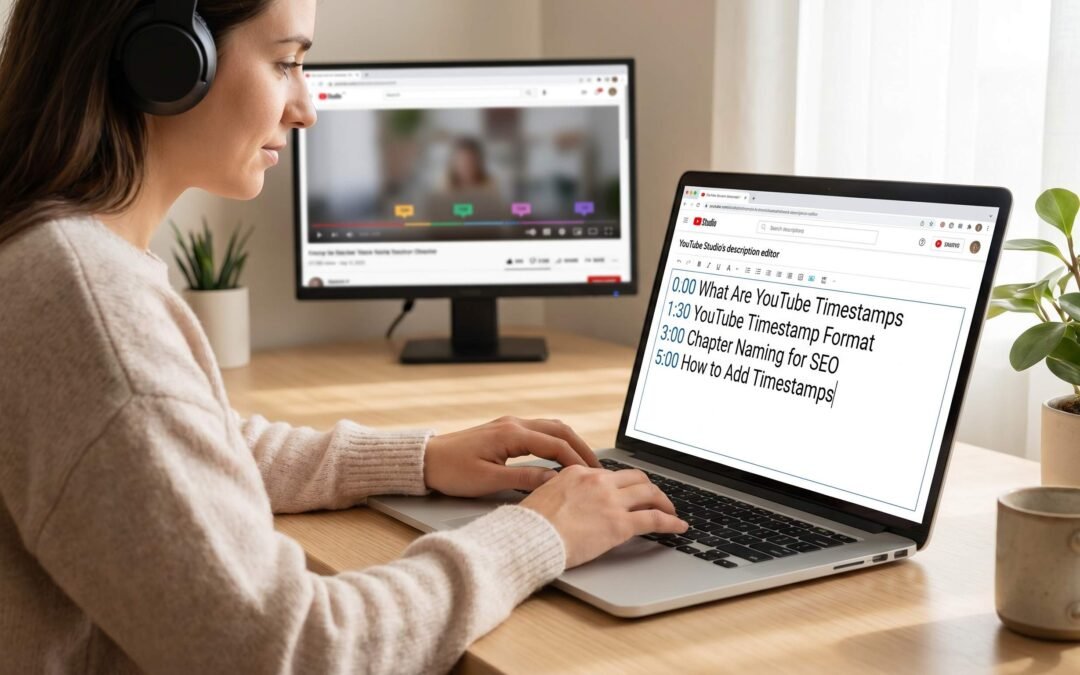
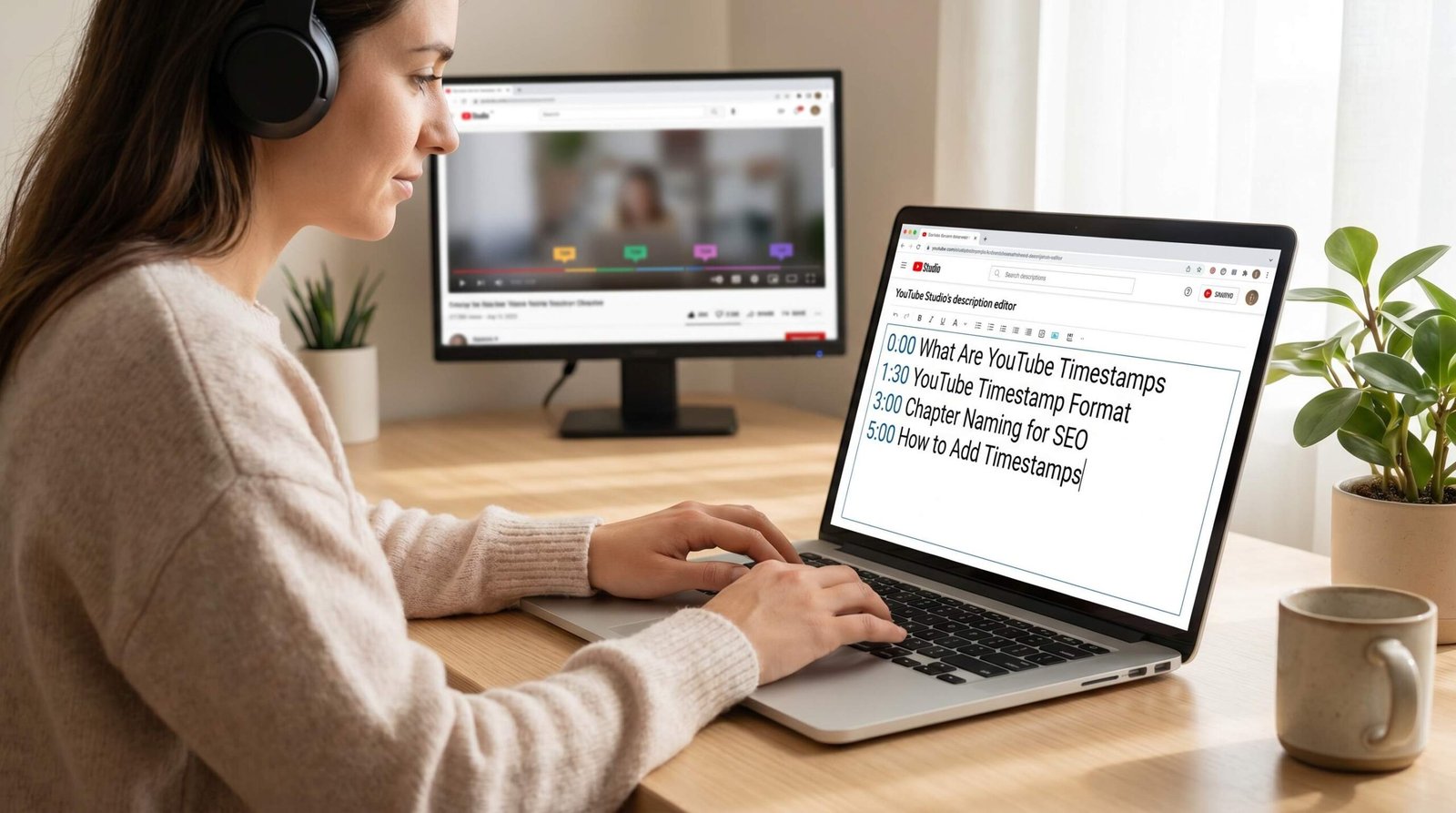
A timestamp on YouTube is a simple line of text in the format 0:00 Chapter Title. Place at least three of them in the description, start with 0:00, and YouTube automatically converts the video into chapters. The progress bar splits into segments. Hovering shows the chapter name. A small chapter list appears below the video on desktop and inside the player on mobile.
Chapters are different from regular timestamp links shared in comments. Comment timestamps jump to a moment when clicked. Description-based chapters do that too, but they also unlock a structural layer YouTube and Google both index. That second layer is where the SEO value lives.
Why Timestamps Matter for YouTube SEO
Most creators treat timestamps as a navigation convenience. They are, but that is a small slice of what they do. Here is what actually happens when you add chapters correctly.
Key Moments in Google Search
When your video has well-structured chapters, Google can surface individual chapter links directly in the search results page. These are called “Key Moments” (the chapter links that appear with thumbnails and timestamps inside a video result on Google). A single video can occupy multiple lines of the search results, with each chapter linked to its specific moment. That is multiplied SERP space for one ranked URL.
Google explains the technical eligibility in Google’s video search documentation. The short version: clear chapter markers and a logical description structure make your video eligible for these enriched results. Auto-chapters do qualify, but manual chapters with deliberate naming tend to win the click because they read like a useful table of contents instead of an AI guess.
YouTube Search Chapter Surfacing
Inside YouTube itself, the search results can show specific chapters from a video when the query matches a chapter title. Search for “how to bake sourdough autolyse” and YouTube can show a specific chapter from a longer bread-making video, jumping the viewer to the autolyse section. Each chapter functions as its own micro-landing page for a narrower query.
Retention and Session Signals
Chapters keep viewers in the video longer. A bored viewer who would have closed the tab can skip to a chapter that matches their need. Skipping is better than leaving from YouTube’s perspective. Watch time accumulates, average view duration stays defensible, and the algorithm reads the signal as “this video serves user intent across multiple sub-topics.” That feeds into recommendations and Suggested Video placement.
Description Keyword Density
Chapters are description text. Every chapter name you write is indexed content that lives in your description, alongside whatever copy you already have there. Twelve well-named chapters can add 50 to 100 keyword-rich words to the description without making it look stuffed. If you want a structured approach to the rest of the description, our guide on writing effective YouTube descriptions walks through the full anatomy.
YouTube Timestamp Format: Getting the Syntax Right
YouTube is strict about the format. Get one detail wrong and the chapter feature silently fails. No error message, just a video with no chapters and a description full of timestamps that do nothing.
Here are the exact requirements pulled from YouTube’s official chapters documentation and verified against current creator behavior:
| Format | Example | Notes |
|---|---|---|
| M:SS | 0:00 Intro |
Works for the first chapter only. Required for the chapter starting at zero. |
| MM:SS | 12:34 Main Demo |
Standard format for videos under one hour. Most common. |
| H:MM:SS | 1:05:20 Q&A Section |
Required for any chapter past the 60-minute mark. |
| HH:MM:SS | 01:05:20 Q&A Section |
Also accepted. Use whichever feels cleaner visually. |
The Five Non-Negotiable Rules
- The first timestamp must be
0:00. Not00:00, not0:01. Exactly0:00. - You need at least three timestamps in the description for chapters to activate.
- Each chapter must be at least 10 seconds long. Two timestamps placed five seconds apart will break the feature.
- Timestamps must be in chronological order. A jumbled list silently fails.
- Each timestamp goes on its own line, followed by a space and the chapter title.
Common Format Mistakes
The most frequent error we see: creators write 00:00 as the first timestamp. YouTube wants the single digit zero. A double-digit zero at the start can sometimes still parse, but using 0:00 is the safe call.
Another common trap is putting timestamps in the pinned comment only. Comment timestamps create clickable jump links but do not create chapter markers. Chapters must live in the video description.
Hyphens between the timestamp and the chapter name are optional but parse cleanly. Both 5:42 Equipment Setup and 5:42 - Equipment Setup work. Avoid colons or pipes as separators because they can confuse the parser.
How to Add Timestamps to YouTube Videos: Step-by-Step
You can add timestamps to any existing or new video. Old videos benefit just as much as new uploads, so do not skip your back catalog.
On Desktop (YouTube Studio)
- Go to studio.youtube.com and sign in.
- Click Content in the left sidebar to see your videos.
- Hover over the video you want to edit and click the pencil Details icon.
- Scroll to the Description field.
- Decide where the chapter list goes. We suggest pasting it after a one or two line video summary, so the description still leads with context for the algorithm.
- Type your first timestamp on a new line:
0:00 [Chapter Name]. - Add each subsequent timestamp on its own line, in chronological order, with at least 10 seconds between each one.
- Click Save in the top right corner.
- Refresh the video’s watch page. The chapter markers should appear on the progress bar within a few minutes. Sometimes they take up to an hour to populate fully.
On the YouTube Mobile App
- Open the YouTube app and tap your profile picture in the top right.
- Tap Your channel.
- Find the video you want to edit and tap the three-dot menu next to it.
- Tap Edit video.
- Tap the Description field.
- Type your timestamps in the same format as desktop, one per line, starting with
0:00. - Tap Save in the top right.
The mobile editor is functional but cramped. We suggest writing timestamps in a notes app first, then pasting them in. If you are managing chapter naming across multiple videos, a reusable description template with structured chapter slots saves significant time and keeps formatting consistent.
Chapter Naming Strategy: The Keyword Angle Most Creators Miss
Here is where most timestamp guides stop and where the actual SEO work begins. The way you name chapters determines whether they pull traffic or just look tidy.
Generic Names Waste the Opportunity
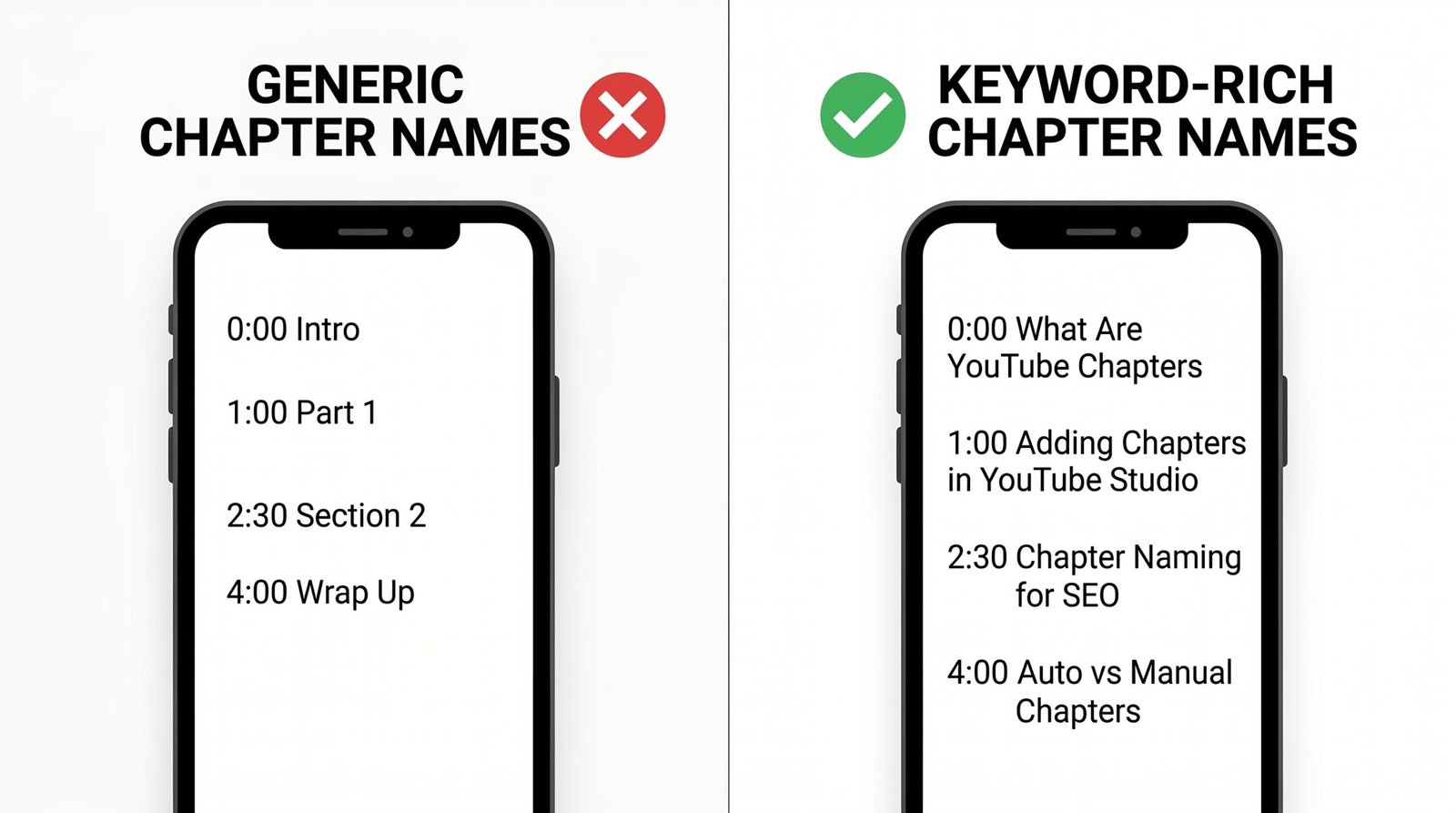
“Introduction.” “Part 1.” “The Main Section.” “Conclusion.” These are the chapter names you see on 80 percent of YouTube videos. They tell viewers nothing and tell Google nothing. Each one is a wasted line of indexable text.
Compare those to chapter names that double as keyword targets:
- “Why beginners burn the crust” instead of “Common Mistakes”
- “Setting f-stop for low light portraits” instead of “Camera Settings”
- “Hands-on with the M4 chip benchmark” instead of “Performance”
- “Final cost breakdown for the build” instead of “Pricing”
Each of those phrasings contains language a real person types into search. Each one stands a chance of pulling traffic to that specific moment.
The Three-Question Test for Each Chapter Name
Before you save chapter names, run each one through three questions:
- Would someone search this phrase? If the chapter title sounds like an internal label, rewrite it as a viewer-facing query or topic.
- Does it contain a noun or specific keyword? “Setup” is weak. “Lighting setup for green screen” is strong.
- Is it under 40 characters where possible? Long chapter names get truncated in the player UI. Lead with the keyword.
Pulling Chapter Names From Real Search Data
The best chapter names come from queries you have already validated as having search demand. If you have done keyword research for YouTube for the main video topic, you already have a list of related queries. Map those queries to specific moments in the video and name each chapter using the matching query language.
For example, a 20-minute tutorial on home espresso machines might have a main keyword of “best home espresso machine.” The keyword research probably surfaced related queries like “how to froth milk at home,” “espresso grind size,” and “descaling an espresso machine.” Each of those becomes a chapter name positioned at the moment the video covers that sub-topic.
Front-Loading the Keyword
Put the keyword at the start of the chapter name, not the end. “Grind size for espresso” reads better in a truncated UI than “What you need to know about grind size for espresso.” Chapter titles are not headlines for clicks, they are labels for search.
Auto-Chapters vs Manual Timestamps: Which to Use
YouTube can auto-generate chapters using AI on videos that opt in. The feature reads the audio transcript and the visual cuts, then guesses where chapter boundaries belong. It usually works. It rarely wins.
| Factor | Auto-Chapters | Manual Timestamps |
|---|---|---|
| Setup time | Zero. Toggle once in Studio. | 5 to 15 minutes per video. |
| Chapter naming quality | Generic. Often “Introduction,” “Topic,” “Conclusion.” | Keyword-targeted by you. |
| Chapter boundary accuracy | Hit or miss. AI sometimes splits mid-thought. | Exactly where you want them. |
| Eligible for Google Key Moments | Yes, but lower CTR due to weak titles. | Yes, with strong CTR potential. |
| SEO value of chapter text | Low. Generic phrases. | High. Keyword-rich phrases. |
| Updates when you re-edit | Auto-regenerates. | Requires manual update. |
| Best for | Archive videos you will not optimize. | Any video you actively promote. |
Our position is straightforward: manual timestamps win for any video that matters. Auto-chapters are a fallback for back catalog content you do not have time to manually optimize. Even then, you can leave auto-chapters on temporarily, watch which AI-generated names get traction in YouTube Studio’s traffic source data, and then come back to manually rewrite those chapter names with stronger keywords.
Manual Timestamps Override Auto-Chapters
If you add manual timestamps to a video that previously used auto-chapters, the manual ones take over. There is no conflict and no setting to toggle. The presence of three or more valid timestamps in the description is the on-switch.
Timestamps in YouTube Links: The ?t= Parameter
Beyond chapter markers, timestamps also let you share links to specific moments. This is a separate but related feature, and it has real promotional value.
Append ?t=125 to a YouTube URL to start the video at the 125-second mark. The number is in total seconds, not minutes and seconds. A link to the moment at 2:05 looks like https://www.youtube.com/watch?v=VIDEO_ID&t=125s. The s suffix is optional but explicit.
Where this matters for SEO and growth:
- Pinned comments: Linking to a specific moment of a related video drives session length, which the algorithm rewards.
- End screens and cards: Sending viewers to the relevant chapter of an older video keeps them on your channel.
- Cross-promotion: When another creator references your video, suggest they link to the exact moment, not the whole video. The click-through is higher.
- Email and social: A deep link to a chapter feels more useful than a generic video link. Open rates and click-throughs are higher.
YouTube generates these deep links automatically when you right-click the player and choose “Copy video URL at current time.” For batch link building, the manual ?t= format is faster.
How to Use YouTube Analytics to Improve Your Chapter Structure
Adding chapters once and never revisiting them is fine. Going back to refine them based on data is where the compounding gains come from.
Step 1: Open the Audience Retention Report
In YouTube Studio, navigate to Analytics, then Engagement, then scroll to Audience retention. Pick a video that has accumulated at least 1,000 views (less than that and the retention curve is too noisy to be useful).
Step 2: Read the Curve, Not the Average
The retention curve shows what percentage of viewers are still watching at each second of the video. Three patterns matter:
- Sharp drops: A near-vertical drop means viewers hit something they did not want. Often this is filler before the actual content. If a drop happens just before a chapter boundary, that chapter needs to start earlier.
- Plateaus and re-watches: A flat line or spike means viewers are sticking around, sometimes rewinding. This is content that resonates. If it does not have its own chapter, add one with a keyword-strong name.
- Slow declines: Steady decline is normal. Steady decline that suddenly steepens is a content quality issue, often a tangent. Either re-edit if you can, or trim the chapter so the bad section is buried inside a chapter that delivers real value.
Step 3: Reposition Chapters to Match Reality
Your original chapter boundaries were a guess about where each section ended. The retention data shows where viewers actually responded to the content. Move chapter boundaries to align with the response pattern.
If viewers consistently rewind to 4:32, that moment deserves to be the start of a chapter, not buried 30 seconds into one. If everyone drops at 8:15, the chapter named “Setup Walkthrough” probably starts there with too much intro. Trim the chapter boundary forward.
Step 4: Test Chapter Name Variations
Chapter names are editable forever. If a chapter named “Camera Settings” gets little engagement and you suspect a more specific name would pull traffic, rewrite it to “Manual mode settings for video” and check impressions over the next 30 days. YouTube does not give chapter-level impression data directly, but you can see traffic source changes in the Reach tab. Combined with broader YouTube SEO strategies for 2026, this kind of micro-iteration is what separates videos that grow over time from videos that peak in the first week.
Common Timestamp Problems and How to Fix Them
When timestamps fail to create chapters, it is almost always one of a small set of issues. Run through this checklist before assuming something is broken on YouTube’s end.
Chapters Are Not Appearing on the Progress Bar
- Check the first timestamp: It must be exactly
0:00. Anything else breaks the feature. - Count your timestamps: You need three or more. Two is not enough.
- Check chapter length: Each chapter must be at least 10 seconds long. A common mistake is two close timestamps for emphasis.
- Check chronological order: The list must run forward in time, no exceptions.
- Wait: After saving the description, chapters can take from a few minutes up to an hour to populate. Refresh the watch page.
- Check the video’s content settings: If the video is marked “made for kids,” some features including chapter surfacing in Google Search are limited.
Chapters Show in YouTube but Not in Google Search
This is normal for the first 24 to 72 hours after publish. Google needs to crawl the video page and process the description. Beyond that window, the most common cause is generic chapter naming that does not match search queries anyone is making. Going back and renaming chapters with stronger keywords often triggers a Google re-crawl within a week or two.
Auto-Chapters Are Generating Bad Names
You cannot edit auto-chapter names directly. The only fix is to overwrite the auto-chapters by adding manual timestamps to the description. Three valid manual timestamps will replace the AI-generated set.
Timestamps Work but Look Wrong Visually
Chapter names are truncated in the mini-player and on some mobile views. If a chapter name reads strangely when cut off, edit it to front-load the meaningful word. “What you need to do first before starting” becomes “Setup checklist.”
Timestamps and YouTube Shorts
YouTube Shorts do not support chapters. The format is built around a single short clip, and YouTube has not added timestamp parsing to the Shorts player. If you want chapter functionality, the video needs to be at least 60 seconds long and uploaded as a regular video, not a Short.
For Shorts SEO, focus on the title and the first line of the description. We have a separate breakdown on writing effective video titles that applies to both long-form and Shorts, with the same keyword-front-loading principles that drive chapter naming.
FAQ
Q: How many timestamps can you add to a YouTube video?
There is no published maximum, but practical limits apply. YouTube parses chapters until the description text gets unreasonable, and the player UI starts to feel crowded past about 15 chapters. For most videos, between 5 and 12 chapters is the sweet spot. Each chapter must be at least 10 seconds long, so the video length sets a hard ceiling.
Q: Do YouTube timestamps help with SEO?
Yes, in multiple ways. Timestamps unlock “Key Moments” rich results in Google Search, which give the video extra visibility in the SERP. They make individual chapters discoverable in YouTube search when chapter titles match queries. They add keyword-rich text to your description. And they improve retention by helping bored viewers skip rather than leave, which sends positive signals to the algorithm.
Q: What is the minimum number of timestamps for chapters to appear?
You need at least three timestamps for the chapter feature to activate. The first must be 0:00. Each chapter must be at least 10 seconds long. With fewer than three, YouTube treats the timestamps as plain text jump links rather than creating the chapter UI on the progress bar.
Q: Why are my YouTube timestamps not working?
The most common causes are: the first timestamp is not exactly 0:00, you have fewer than three timestamps, two timestamps are placed less than 10 seconds apart, or the timestamps are out of chronological order. Check each of those before assuming the feature is broken. Also wait up to an hour after saving the description, as chapter processing is not always instant.
Q: Can you add timestamps to YouTube Shorts?
No. YouTube Shorts do not support chapter markers. The Shorts player does not parse timestamps from descriptions. If you need chapters, the video must be uploaded as a regular long-form video, not a Short.
Q: What is the correct YouTube timestamp format?
For videos under one hour, use M:SS or MM:SS, for example 5:42 Chapter Name. For chapters past the 60-minute mark, use H:MM:SS or HH:MM:SS, for example 1:05:20 Chapter Name. The first timestamp must be exactly 0:00. Each timestamp goes on its own line, followed by a space and the chapter title.
Q: Should I use auto-chapters or write my own timestamps?
Write your own for any video you actively want to grow. Auto-chapters produce generic names like “Introduction” and “Topic” that do nothing for SEO. Manual chapters let you front-load keywords, target search queries, and place chapter boundaries where they actually serve the viewer. Auto-chapters are a reasonable fallback for archive content you will not optimize manually.
Q: Do chapter names affect what shows up in Google Search?
Yes. Chapter names become the visible link text in Google’s “Key Moments” rich results. A descriptive, query-matching chapter name pulls clicks. A generic name like “Part 2” is unlikely to be selected for surfacing at all, and even if it is, the click-through rate is low. Treat chapter names as miniature headlines, not internal labels.