
YouTube video optimization is the process of setting up your video’s metadata and content signals so YouTube’s algorithm can find, understand, and rank your video for the right searches. The core checklist covers five elements: a keyword-targeted title, a front-loaded description, focused tags, a high-CTR thumbnail, and early engagement signals. Together, these push YouTube’s system to recommend your video to viewers who are most likely to watch it all the way through.
If you’ve uploaded a video and watched it sit at zero views for weeks, you’re not alone. The problem usually isn’t the content itself. It’s optimization. YouTube processes hundreds of hours of video every minute, and the only way it knows which viewers to show your video to is the data you give it.
This guide walks through every optimization lever you control, with concrete before-and-after examples, so you know exactly what to change and why it matters.
Why YouTube Video Optimization Matters (and How the Algorithm Uses It)
YouTube’s algorithm has two main jobs: find videos relevant to a search query, and decide which videos to surface in Browse and Recommended feeds. Both jobs rely on signals you directly control.
For search relevance, YouTube reads your title, description, and tags to match your video to queries. For recommendations, it watches behavioral data: click-through rate (CTR), watch time, and engagement. Optimization affects both. A well-written title and thumbnail drive clicks. Clicks generate watch-time data. Watch-time data drives recommendations.
According to YouTube’s own optimization guide, the best starting point is titles, descriptions, and thumbnails. We agree. Get those three right first, then layer in the rest.
Step 1: Keyword Research Before You Film
The biggest optimization mistake creators make is filming first, researching second. Your keyword choice shapes everything: what title you write, what your description leads with, and what tags you include.
Start by searching YouTube for your topic idea. Watch what autofill suggests in the search bar. Those suggestions are real queries from real people. Pick the phrase that best matches your video’s actual content.
Then check volume. Tools like a YouTube tag generator or a YouTube keyword research tool let you see search estimates and related terms. Look for keywords that:
- Have consistent monthly searches (not just a spike from one viral moment)
- Match what your video actually covers
- Aren’t dominated entirely by channels with millions of subscribers
Once you have your primary keyword, find two to three related variations. These go in your description and tags later.
Step 2: Writing a Title That Gets Clicked
Your title does two jobs simultaneously: tell YouTube what your video is about, and convince a human to click on it. Both matter. A keyword-stuffed title tanks CTR. A clever but keyword-free title tanks search ranking.
The formula that works: lead with the keyword, add a specific value hook.
Before and After: Title Optimization
| Before (Weak) | After (Optimized) |
|---|---|
| My Morning Routine Vlog | Morning Routine for Productivity: 5 Habits That Changed My Day |
| Cooking Video #47 | Easy Pasta Carbonara Recipe (Ready in 20 Minutes) |
| How I Edit My Videos | YouTube Video Editing for Beginners: My Full Workflow in DaVinci Resolve |
| Gaming Tips | Fortnite Building Tips for Beginners: 7 Moves That Instantly Improve Your Game |
Keep titles under 60 characters where possible. YouTube truncates anything longer in most search results. If your title runs longer, put the keyword and value hook in the first 60 characters, and let additional context trail off.
Step 3: Optimizing Your YouTube Description
Your description is the most underused optimization tool on YouTube. Most creators write two sentences. The ones ranking on page one write 200-500 words.
Here’s why: YouTube uses your description text to understand every aspect of your video’s topic. A richer description means better keyword matching, more context for YouTube’s algorithm, and better chances of appearing for related searches you didn’t specifically target.
The Structure of a High-Performing YouTube Description
The first 150 characters are critical. They appear in search results before the “Show more” cutoff. Treat them like a meta description: include your keyword, state the value clearly, and make someone want to watch.
Here’s a full description structure that works:
[First 150 characters - keyword + value hook]
Learn how to [topic] in this step-by-step guide. In this video, you'll discover [specific benefit 1], [specific benefit 2], and [specific benefit 3].

[Timestamps / Chapters]
00:00 Introduction
01:20 [Chapter title]
04:45 [Chapter title]
...

[Body paragraph 1 - expand on topic with related keywords naturally]
[Body paragraph 2 - additional context, mention related topics]

[Links and resources]
- [Resource 1]
- [Resource 2]

[Social / Subscribe CTA]
Subscribe for weekly [your topic] content: [channel link]

[Hashtags - 3-5 max]
#YouTubeSEO #VideoOptimization #[YourNiche]
For a deeper look at what actually works in descriptions, see our guide on what makes a good YouTube video description and our breakdown of how long your YouTube description should be.
Real Example: Before and After Description Optimization
Before (typical creator description):
Hey guys! In this video I share my morning routine. Hope you enjoy! Don't forget to like and subscribe!
After (optimized description):
My 6 AM morning routine for productivity - the exact habits I use to stay focused and energized every day.

00:00 Why your morning routine matters
01:10 Wake-up ritual (no phone for 30 minutes)
02:45 Movement routine - 15 minutes
04:20 Journaling practice
06:00 Deep work block setup
08:15 Nutrition and hydration

This morning routine for productivity combines the best research on habit formation with what's actually worked for me over three years of experimenting. If you've been struggling with chaotic mornings or low energy, these five habits can change how your entire day feels.

Grab the free habit tracker PDF I mention in the video: [link]

New productivity and habit content every Tuesday. Subscribe here: [link]

#MorningRoutine #ProductivityHacks #HabitBuilding
The second version is 10x more useful to YouTube’s algorithm AND to a viewer deciding whether to click. For more examples and frameworks, explore our collection of SEO-optimized video descriptions.
Step 4: Tags – How to Use Them Without Wasting Time
Tags are a weaker ranking signal than they were five years ago, but they still help YouTube understand your video’s topic, especially for spelling variations and related terms. The goal isn’t to add 30 tags. It’s to add the right 8-12.
A solid tag set for a YouTube video optimization tutorial would look like this:
- Exact match: youtube video optimization
- Close variation: how to optimize youtube videos, youtube seo
- Broader topic: youtube tips, youtube algorithm
- Audience intent: get more views on youtube, youtube growth
- Channel context: youtube creator tips
Avoid one-word tags that are too broad (“youtube”, “video”) and avoid tags completely unrelated to your video’s content. YouTube can penalize for misleading tags.
Step 5: Thumbnail Optimization for Higher CTR
Your thumbnail is the single biggest driver of click-through rate. YouTube’s algorithm uses CTR as a quality signal. A 10% CTR video gets pushed to more people than a 3% CTR video on the same topic, regardless of quality.
High-CTR thumbnails share four traits:
- A clear focal point – one main subject (face, product, object) that reads at small sizes
- High contrast – bright colors against dark backgrounds, or vice versa
- Minimal text – 3-5 words maximum, large font, readable at 120px
- Emotional signal – a face showing genuine emotion outperforms neutral expressions consistently
If you’re just starting out, use Canva’s YouTube thumbnail templates as a baseline. The goal is consistency: viewers should be able to recognize your thumbnails in a crowded feed.
Step 6: Chapters and Timestamps
Chapters (added by putting timestamps in your description starting with 00:00) do three things for optimization:
- They appear as chapter markers in YouTube search results, giving you more real estate in the SERP
- They can show up as rich snippets in Google Search, sometimes earning a top-of-page placement
- They improve viewer retention by letting people jump to relevant sections, which signals to YouTube that your content is well-structured
You need at least three chapters, with the first one starting at 00:00. Each chapter title should include a relevant keyword or search phrase where natural. Think of them as mini-titles inside your video.
Step 7: End Screens, Cards, and Playlists
These elements help keep viewers watching your content after a video ends, which extends your channel’s total watch time and signals to YouTube that your content is worth surfacing more broadly.
- End screens (last 20 seconds): Add a “best for viewer” video suggestion and a subscribe button. YouTube will automatically suggest the best video for each individual viewer if you select that option.
- Cards: Use mid-video to link to related content, especially when you reference something you’ve covered elsewhere.
- Playlists: Group related videos into playlists. Playlist watch time counts toward your channel authority, and playlists themselves rank in YouTube search.
Step 8: Upload Timing and Early Engagement
The first 24-48 hours after upload are critical. YouTube uses early performance data to decide how aggressively to test your video with new audiences. A video that earns strong CTR and watch time in the first day gets pushed to broader audiences. One that underperforms gets buried.
Two things that help early performance:
- Upload when your audience is active. Check YouTube Studio Analytics under “Audience” to see when your subscribers are online. Upload 1-2 hours before your peak time.
- Send the video to an engaged group first. Share via email newsletter, community post, or Patreon before the public rollout. Those first views from people who actually want to watch tend to have much higher watch percentages, which sends strong signals.
Full YouTube Video Optimization Checklist
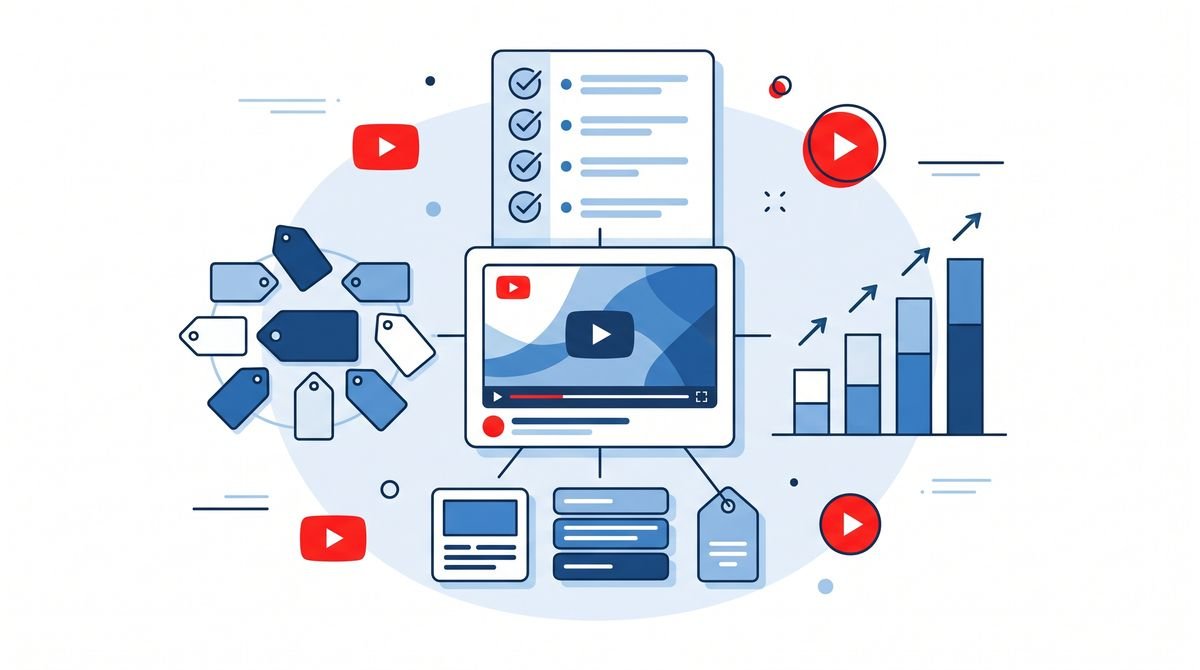
Use this before every upload:
| Optimization Element | What to Do | Priority |
|---|---|---|
| Keyword research | Find primary keyword before filming | Critical |
| Title | Keyword first, under 60 chars, value hook | Critical |
| Description (first 150 chars) | Keyword + value proposition, no filler | Critical |
| Full description (200-500 words) | Chapters, body text, links, hashtags | Critical |
| Custom thumbnail | High contrast, clear focal point, minimal text | Critical |
| Tags (8-12) | Exact match + variations + broader topics | High |
| Chapters / Timestamps | Min 3 chapters, start at 00:00 | High |
| End screens + Cards | Add in final 20 seconds, link to related video | High |
| Category | Select most accurate category in YouTube Studio | Medium |
| Playlists | Add to 1-2 relevant playlists | Medium |
| Upload timing | 1-2 hours before subscriber peak time | Medium |
| First 48-hour promotion | Share to email list, community post, or social | Medium |
Tools That Speed Up YouTube Video Optimization
You don’t need to do all of this manually. Several tools help with the research and writing side of optimization:
- TubeBuddy and vidIQ are browser extensions that show keyword scores, tag suggestions, and competitor analysis directly in YouTube Studio. Both have free tiers.
- Our YouTube keyword generator helps you find and expand keyword ideas specific to your video topic.
- For the description itself, our guide to AI-generated YouTube descriptions covers how to use AI tools to write search-optimized descriptions without starting from a blank page.
- YouTube’s official video optimization topic hub explains directly from YouTube how its search and recommendation systems work and what signals they weigh.
Common YouTube Video Optimization Mistakes (and What to Do Instead)
Knowing what not to do saves as much time as knowing the right techniques.
- Keyword stuffing in the title. “YouTube SEO Tips YouTube SEO Guide YouTube Video SEO 2026” is not a title. It’s a list. YouTube’s algorithm can detect keyword stuffing and it actively hurts CTR.
- Copying competitor tags. Adding every tag a competing video uses doesn’t help you rank. Focus on tags that accurately describe your video’s specific content.
- Ignoring the thumbnail until after upload. Design your thumbnail concept before filming. Knowing your visual story in advance often shapes what you capture on camera.
- One-and-done optimization. Go back to your 10-20 best-performing videos from the last year. Updating titles and descriptions on existing content that already has views and engagement often produces faster ranking gains than publishing new content.
Frequently Asked Questions
What is YouTube video optimization?
YouTube video optimization is the process of adjusting your video’s metadata (title, description, tags, thumbnail) and content signals (watch time, engagement) so that YouTube’s algorithm can understand, surface, and rank your video to the right audience.
How do I optimize a YouTube video for SEO?
Research your target keyword first, then place it in your title (front-loaded), description (first 150 characters), and tags. Create a custom thumbnail, add chapters via timestamps, write a full 200-500 word description, and promote the video in the first 24-48 hours to boost early engagement signals.
Does the YouTube description help with SEO?
Yes. YouTube uses your description to understand the topic of your video and match it to search queries. The first 150 characters appear in search results, functioning like a meta description. A well-written description with natural keyword usage can meaningfully improve your video’s ranking. See our in-depth look at whether YouTube descriptions matter for SEO.
How long should a YouTube description be for SEO?
We suggest aiming for 200-500 words in your YouTube description. The first 150 characters are most visible in search, but a longer description gives YouTube more context about your video’s topic and can help surface it for related queries.
What are the most important ranking factors for YouTube?
The most important YouTube ranking factors are watch time (total and percentage), click-through rate from thumbnails and titles, relevance (keyword matching in metadata), engagement (likes, comments, shares), and channel authority (subscriber count and upload consistency). According to YouTube’s official help documentation, thumbnails, titles, and descriptions are the best starting points for optimization.
How many tags should I use on YouTube?
We suggest using 5-10 focused tags per video. Prioritize your exact target keyword, two to three close variations, and two to three broader topic tags. Tags are a weaker signal than title and description, but they still help YouTube understand your video’s topic, especially for spelling variations.
Do YouTube chapters help with SEO?
Yes. YouTube chapters (added via timestamps in your description) help viewers navigate your video and can appear as rich results in Google Search, giving your video additional SERP real estate. Chapters also signal to YouTube that your content is structured and detailed.