
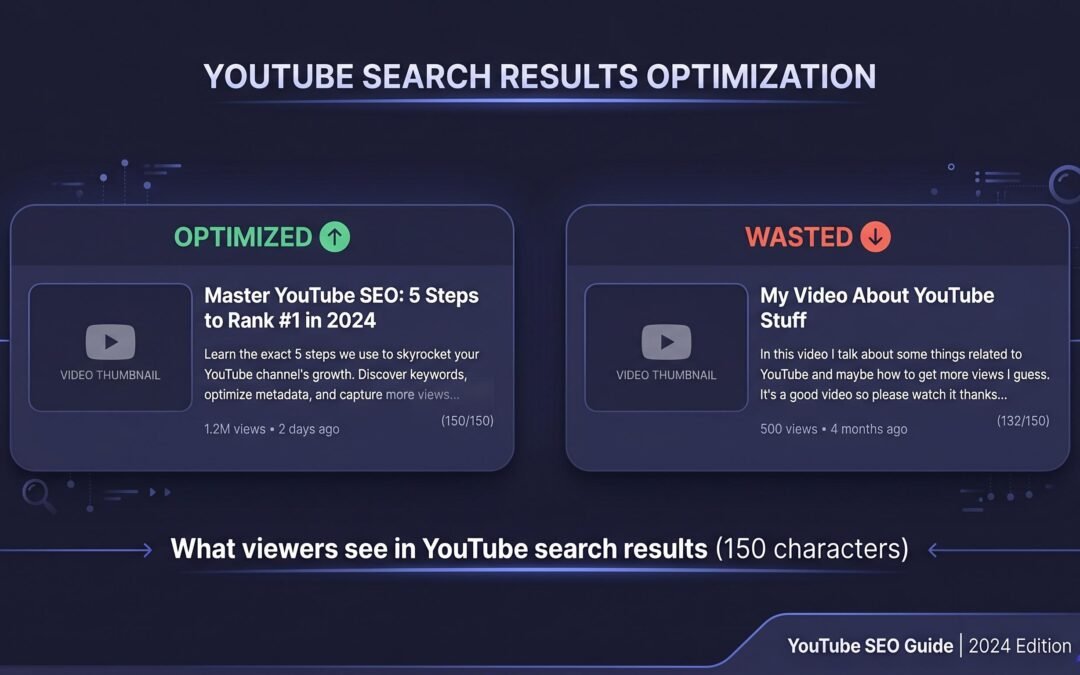
Does YouTube Description Matter? The Real Answer (2026)
Ask ten YouTubers whether descriptions matter, and you’ll get ten different answers. Some treat the description box like a sacred SEO ritual. Others paste a generic blurb and move on. Both camps are partially right, and both are missing the bigger picture.
The truth sits in the data: descriptions do something specific, measurable, and often misunderstood. They aren’t a magic ranking lever, but ignoring them costs you traffic from channels you probably didn’t even know existed. Let’s settle this with evidence instead of folklore.
Yes, YouTube descriptions matter, but not how most creators think. Descriptions influence YouTube search rankings, Google web search visibility, and the suggested videos algorithm. They do not affect watch time, likes, or subscriber count directly. The first 150 characters do the heaviest lifting because that’s the portion viewers actually see in search results before deciding to click.
What YouTube Descriptions Actually Influence
Before optimizing anything, you need to understand the mechanics. A description is doing four jobs simultaneously, and most creators only think about one of them. Each job has its own measurement signal and its own optimization rules.
YouTube Search Rankings
When someone searches “how to bake sourdough” on YouTube, the algorithm scans titles, tags (historically), captions, and descriptions to determine which videos answer that query. Descriptions provide context the title can’t fit. If your title is “My Sourdough Recipe” but your description explains the 24-hour cold ferment, the spelt flour ratio, and the Dutch oven method, you’re eligible to rank for all of those long-tail variations.
Per YouTube’s own guidance on descriptions, accurate and informative descriptions help the platform understand your video. That language matters. Descriptions are interpreted as a topical signal, not a list of magic words to stuff in.
Google Search, The Overlooked Traffic Channel
Here’s what almost nobody talks about. Every YouTube video has a public web page at youtube.com/watch?v=, and Google indexes those pages just like blog posts. When Google indexes your video page, your description becomes the meta content Google reads to understand what the page is about. The first 150-160 characters often appear as the snippet text in Google search results.
This means a strong description can pull traffic from two separate search engines. Someone searches Google for “best budget mirrorless camera 2026,” and your YouTube video can appear in the video carousel or even the main results. Read the how Google indexes YouTube video pages documentation, and you’ll see Google explicitly uses the description for video markup, thumbnails, and snippet context. Your description is doing double duty as a Google SEO asset.
Suggested Videos and Browse Features
This is the angle most “does description matter” articles skip entirely. YouTube’s recommendation engine, the one driving the “Up Next” sidebar, your homepage, and notifications, classifies videos by topical relevance. Descriptions feed that classifier. If your video is about “vegetarian meal prep for athletes,” and your description spells that out, YouTube can confidently suggest your video alongside other vegetarian meal prep content.
Sparse or vague descriptions force the algorithm to guess. Guessing means weaker topic clusters, weaker suggested-video placement, and fewer recommended impressions. For most channels, suggested videos generate more views than search. Your description is quietly working in that channel the entire time.
Click-Through Rate from Search Results
Two videos can rank for the same query. The one with the better thumbnail and the better visible description text gets the click. YouTube shows roughly the first 150 characters of your description beneath the title in search results. That tiny text snippet either reinforces the promise of your title or it doesn’t. If it does, CTR climbs. If it reads like keyword soup, viewers scroll past.
Action step: open YouTube Studio, sort your videos by impressions, and look at the worst-performing CTR. Then look at the first sentence of those descriptions. Pattern recognition will hit fast.
The 150-Character Rule: Your Most Valuable Real Estate
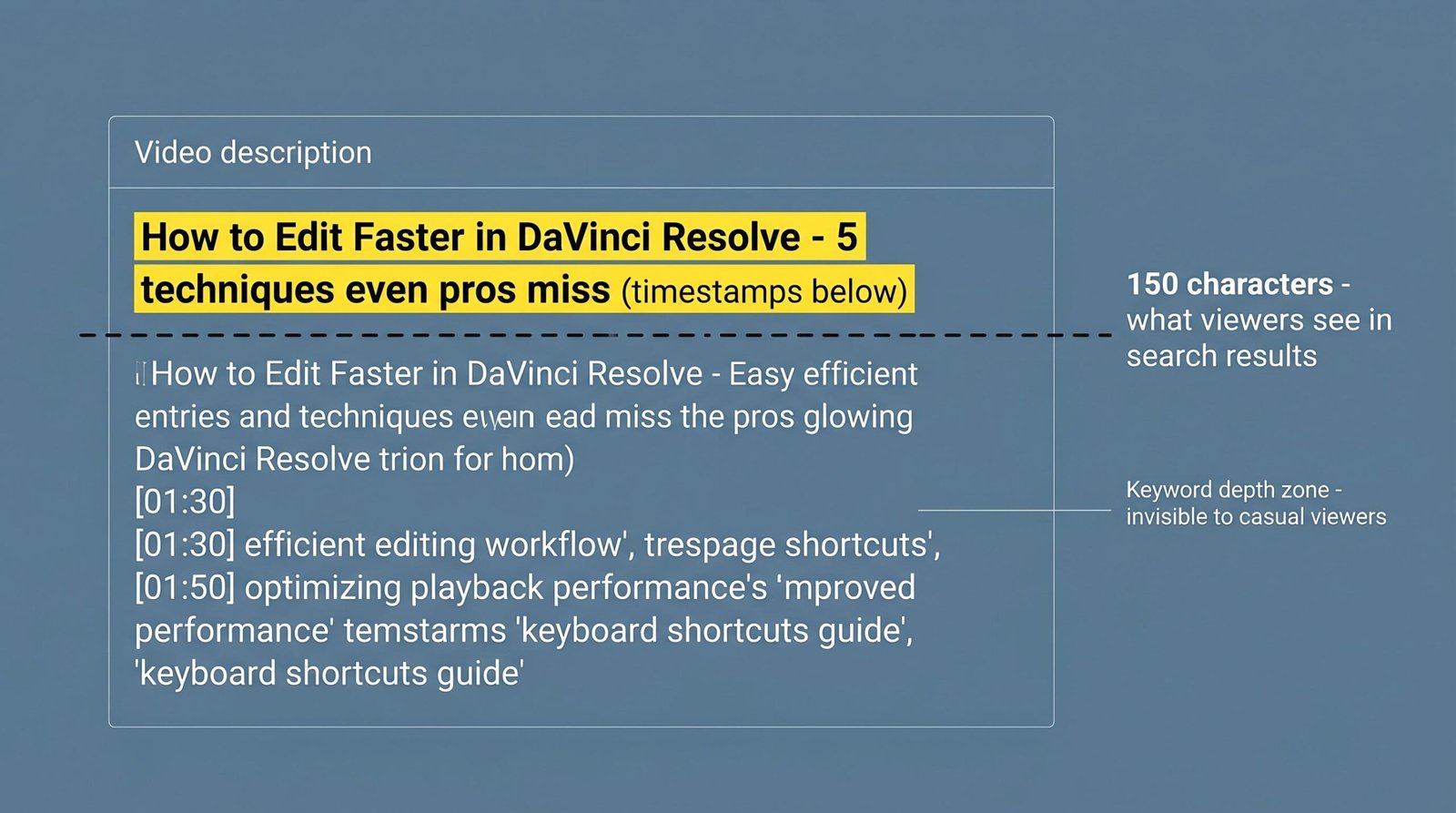
Of every character you write, the first 150 do roughly 90 percent of the work. That’s the snippet viewers see in YouTube search, the meta-description Google often pulls, and the preview text in the suggested videos column on mobile. Everything past character 150 is hidden behind a “Show more” click that most viewers never make.
This changes the entire optimization game. Your opening sentence is not a place to dump keyword variants. It’s a place to confirm the click. Think of it as the second half of your headline.
| What Viewers See in Search | What Exists in Your Full Description |
|---|---|
| First ~150 characters | Up to 5,000 characters total |
| Single line truncated with ellipsis | Multi-section formatted text with links |
| Drives the click decision | Drives algorithmic understanding and SEO |
| Must answer “is this the video I need?” | Can include timestamps, gear lists, social links |
| One shot at attention | Read fully only by engaged viewers |
| Mobile users see even less, around 100 chars | Desktop viewers see slightly more before “Show more” |
YouTube allows up to 5,000 characters in a video description. That ceiling is not a target. We suggest treating the first 150 characters as your headline’s continuation and the next 4,850 as algorithmic depth.
Concrete example. Compare these two openings for a video titled “How to Edit Faster in DaVinci Resolve”:
Weak: “In this video I’ll be talking about editing in DaVinci Resolve which is a popular video editing software used by professionals.”
Strong: “Cut your DaVinci Resolve edit time in half with these 7 keyboard shortcuts and the timeline trick most editors miss. Free shortcut sheet linked below.”
The second confirms the value, hints at a free resource, and uses query-aligned language. The viewer decides to click before they even scroll.
What YouTube Descriptions Don’t Affect
Honest expectations build better strategy. Descriptions are powerful in specific lanes and useless in others. Pretending otherwise leads creators to chase the wrong metrics.
Descriptions do not directly improve watch time. A viewer watches because the video itself is good, not because your description was 800 words instead of 200. Descriptions do not earn likes, subs, or engagement. They do not affect monetization eligibility, your ad revenue per thousand views, or your community standing. They also do not save a video that is genuinely failing to retain viewers. If your retention curve drops a cliff at 30 seconds, no description rewrite fixes that.
What descriptions do is improve the chance that the right viewer finds you. Once that viewer arrives, the video carries the load. Mixing up those two roles is the most common YouTube SEO mistake we see.
Channel Age and Niche: Does It Change How Much Descriptions Matter?
Yes, more than most guides admit. A brand-new channel with no subscriber base relies almost entirely on discovery surfaces, search and suggested. Descriptions matter disproportionately because the algorithm has no audience signal to lean on. Topic clarity from the description is doing the heavy lifting.
An established channel with hundreds of thousands of subs gets a different treatment. YouTube already knows what the channel is about and serves new uploads to the existing subscriber base first. Descriptions still matter for search and Google indexing, but the suggested-video lift is partially absorbed by channel authority.
Niche matters too. Highly searched niches like personal finance, fitness, tech reviews, and tutorial content reward strong descriptions because viewers actively search. Entertainment, vlog, and reaction content depends more on the suggested algorithm and thumbnail magnetism. Descriptions still help, but the marginal gain shrinks.
If you want the deeper play-by-play on this, our breakdown of YouTube SEO tips covers how different channel sizes should weight description effort against thumbnails and titles.
How to Write Descriptions That Actually Work
Theory is easy. Execution is the whole game. Here’s the four-part framework we use when auditing creator descriptions, ordered by the impact each move makes on actual results.
Front-Load Keywords in the First 150 Characters
Your primary keyword phrase should appear naturally in the first sentence, ideally in the first half of the first sentence. Not because Google needs the keyword in position one, but because the truncated snippet has to communicate topic at a glance.
If your video targets “Lightroom presets for landscape photography,” the opening might read: “These 5 Lightroom presets transform flat landscape shots into gallery-ready edits in one click. Free preset pack linked below.”
Notice the keyword phrase lives inside a sentence a human would actually say. No awkward repetition. No bracketed [keyword: lightroom presets] gymnastics. If you’re not sure which phrase to lead with, run real YouTube keyword research first, then write the description to the phrase, not at it.
Structure the Rest for Depth and Links
After your hook sentence, give yourself space. Two or three paragraphs explaining what the video covers, who it’s for, and what the viewer will walk away with. This is where YouTube’s classifier gets enough signal to confidently slot you into the right topic cluster for suggested videos.
Then add functional sections: a chapters or timestamps block, a “resources mentioned” link list, your social and channel links, and any sponsor disclosure. Each section serves either the algorithm, the viewer, or both. Nothing is filler. If you want a starting structure, our library of YouTube description templates has formats specific to tutorial, review, vlog, and educational content.
Using Timestamps and How They Help Descriptions
Timestamps, when properly formatted, do two things. They create YouTube chapters that show up on the progress bar, and they give Google structured information for the “key moments” feature in web search results.
Format them like this: 0:00 Intro, 0:42 Why most edits fail, 2:15 The shortcut that saves hours. Each timestamp on its own line, the first one at 0:00, and each chapter label at least 10 seconds long. Beyond the technical SEO benefit, timestamps signal to viewers that the video is structured and worth their time, which lifts CTR before they even click.
The Link Strategy, Your Description Is Your Only Clickable Zone
YouTube doesn’t allow clickable links inside the video itself. Cards and end screens can route to other videos, but external traffic, your newsletter, your store, your affiliate links, all of that lives in the description. Treat it accordingly.
Prioritize one primary call to action above the “Show more” fold if you can manage it within your 150-character budget. Some creators sacrifice keyword placement for a link. The right answer depends on whether you’re optimizing for discovery (keywords win) or conversion (link wins). Most channels are better served by keywords up top and links below, where engaged viewers naturally land after they’ve decided to commit to the video.
For a deeper walkthrough on this structure, see our guide on how to write a YouTube description from blank box to publish-ready.
Quick Reference Table: Optimized vs Unoptimized Description
Side by side, the difference between a description that works and one that doesn’t becomes obvious. Here’s what we see when auditing two videos in the same niche.
| Element | Unoptimized Description | Optimized Description |
|---|---|---|
| First 150 characters | “Hey guys welcome back to my channel, hope you enjoy this one and don’t forget to like and subscribe.” | “Build your first faceless YouTube channel in 7 days using free tools. Step-by-step setup with niche picks that still work in 2026.” |
| Keyword presence | None in visible snippet | Primary phrase in opening sentence |
| Length | 40-80 words | 250-400 words |
| Timestamps | None | Properly formatted from 0:00 |
| Links | Generic “subscribe here” | Tagged links to lead magnet, related video, social |
| Topical context | Repeats title in different words | Explains who video is for, what’s covered, expected outcome |
| Google snippet potential | Low, no clear meta intent | High, opens with searchable phrase |
| Suggested videos signal | Weak, algorithm guesses | Strong, clear topic cluster fit |
The optimized version isn’t longer for length’s sake. Every line is doing a specific job: snippet hook, topic signal, viewer service, link delivery.
How to Know If Your Description Is Working
Optimization without measurement is guessing in fancy clothes. There are three diagnostics we run on every description audit, and you can do all of them from YouTube Studio in under 15 minutes.
1. The Search Terms Report. Inside YouTube Studio Analytics, go to the Research tab and pull the “Searches found your video” report. If your descriptions are working, you’ll see a spread of long-tail queries beyond your exact title. If every term is just a slight variation of your title, your description is not pulling its weight on topical depth.
2. The CTR Comparison. Sort your videos by impressions in YouTube Studio. Pick two videos with similar thumbnail quality but different CTRs. Pull both descriptions side by side. Nine times out of ten, the higher-CTR video has a stronger first sentence. That’s your description doing visible work.
3. Traffic Source Mix. In Analytics, check the “Traffic source” breakdown. If your channel pulls less than 5 percent of views from YouTube search on tutorial or how-to content, your descriptions and titles are leaving discovery traffic on the table. A healthy creator-niche channel typically sees 15-40 percent from search, with the rest from suggested videos and browse.
Run these diagnostics monthly. The patterns reveal themselves fast, and small description rewrites on your top-impression videos can shift CTR by full percentage points within a week or two. For broader workflow ideas, our roundup of YouTube SEO tools covers what to layer on top of Studio for keyword tracking and ranking insights.
Frequently Asked Questions
Do YouTube descriptions affect search rankings?
Yes. YouTube uses the full description text as a topical relevance signal when matching videos to search queries. The first 150 characters carry extra weight because they double as the visible snippet in search results, but the entire description is scanned by the ranking algorithm. Descriptions aren’t a magic ranking lever on their own, they work together with titles, captions, and engagement signals.
Does YouTube description affect views?
Indirectly, yes. Descriptions influence whether your video appears in search and suggested feeds, and they shape the snippet text that drives click-through rate. Both of those affect total views. They don’t, however, increase watch time or retention once a viewer clicks. The video itself does that job.
How long should a YouTube description be for SEO?
Aim for 250-400 words for most videos. That’s enough to give the algorithm meaningful topical context without padding. The maximum allowed is 5,000 characters, but length itself isn’t a ranking factor. Quality and topical relevance matter far more than word count.
Do keywords in YouTube description matter?
Yes, when they appear naturally inside sentences a human would write. Stuffing keyword lists at the bottom of your description hasn’t worked since YouTube’s algorithm updates years ago, and it can hurt perceived quality. Use your primary keyword once in the first 150 characters and secondary variants two or three times across the full description, woven into normal language.
Does YouTube description matter for Shorts?
Less than for long-form, but still meaningful. Shorts get most of their views from the Shorts feed, which weights audio, retention, and engagement signals heavily. Descriptions still help the algorithm classify Shorts for topical relevance, and they still appear when viewers tap to see more. Keep Shorts descriptions short, one or two sentences with a hashtag or two, and lead with the topic phrase.
Can I change my YouTube description after publishing?
Yes. You can edit descriptions any time without losing your video’s ranking, views, or watch history. Edits often trigger small re-evaluations by the algorithm, which means a thoughtful rewrite of an underperforming video’s description can lift its discovery within days. This is one of the highest-leverage SEO moves available to creators with a back catalog.
Does YouTube read the whole description?
Yes, the full description up to the 5,000-character limit is indexed and used for topical understanding. That said, the first 150 characters get more weight because they also serve as the visible snippet, and content placed near the top tends to influence both ranking and click-through more than text buried at the bottom.