
YouTube Thumbnail Size: Exact Specs, Dimensions + Design Guide (2026)
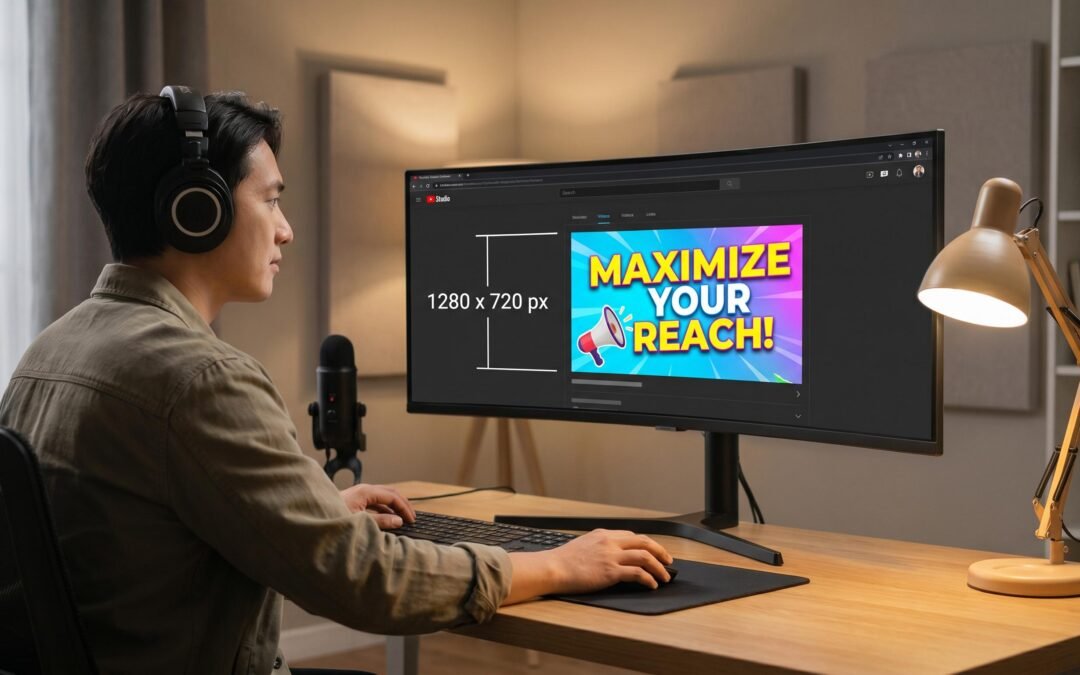
The correct YouTube thumbnail size is 1280×720 pixels, a 16:9 aspect ratio, with a maximum file size of 2MB. That single line answers most searches, but the spec is only half the story. The other half is how your thumbnail renders across mobile feeds, search results, watch-next rails, and Google video carousels, and how to design once for every surface.
What is the correct YouTube thumbnail size?
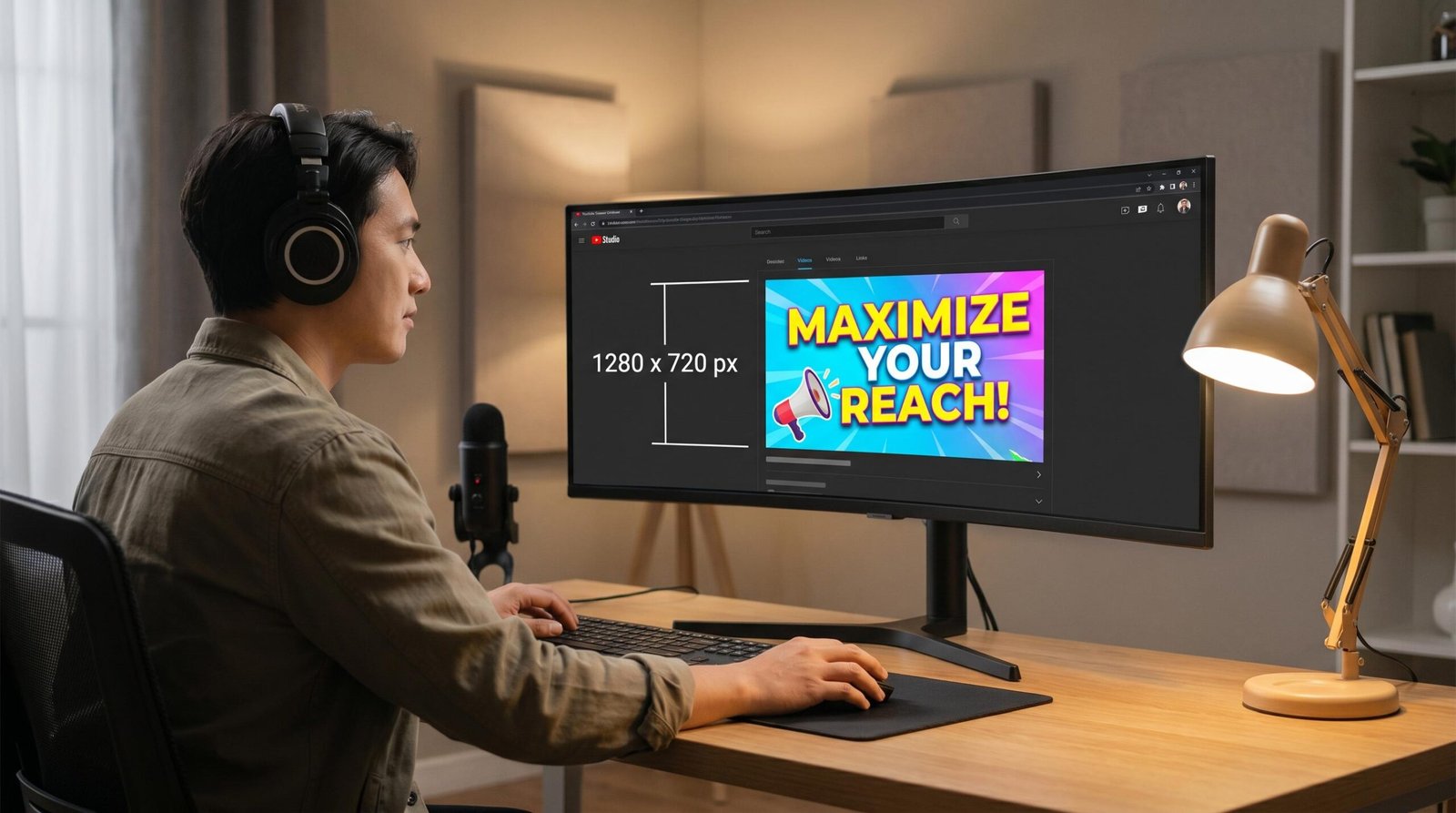
The correct YouTube thumbnail size is 1280×720 pixels with a 16:9 aspect ratio. Keep the file under 2MB and save it as JPG, PNG, GIF, or WebP. YouTube accepts a 640-pixel minimum width, but 1280×720 is the recommended resolution because it renders crisply on TVs, desktops, and mobile devices without scaling artifacts.
YouTube Thumbnail Size Specs at a Glance
Use this table as your design template. Every spec here matches what YouTube accepts when you upload a custom thumbnail from YouTube’s official custom thumbnails help page.
| Spec | Requirement | Notes |
|---|---|---|
| Resolution | 1280×720 pixels | The strongly preferred size for all long-form videos. |
| Aspect ratio | 16:9 | Matches HD video playback and prevents letterboxing. |
| Minimum width | 640 pixels | Accepted but not recommended. Avoid going below 1280px wide. |
| Maximum file size | 2 MB | Applies to standard videos. Larger files are rejected. |
| Accepted formats | JPG, PNG, GIF, WebP | JPG offers the best size-to-quality balance for photo-style thumbnails. |
| Color profile | sRGB | Ensures colors stay consistent across browsers and devices. |
| YouTube Shorts | 1080×1920 pixels, 9:16 | Vertical format. YouTube may auto-generate the thumbnail. |
Why 1280×720 Is the Right YouTube Thumbnail Resolution
The 1280×720 spec exists because it matches 720p HD video. Both share the 16:9 aspect ratio, and that alignment means YouTube never has to crop, pad, or distort your thumbnail to fit the player or feed previews. When a viewer hovers a video card, the thumbnail and the auto-playing preview occupy the exact same rectangle. No black bars. No awkward crops.
The 640-pixel minimum width exists for legacy uploads and edge cases, not as a target. At 640×360, your thumbnail gets upscaled when displayed on 4K TVs and high-density mobile screens. The result is soft text and visible blur. We suggest you never upload below 1280×720 unless you’re working with a source asset you can’t re-export.
If you’re sourcing a frame from your video, export the still at full resolution and resize to 1280×720 in a design tool. If you’re designing from scratch in Canva, Photoshop, Figma, or any browser-based editor, start with a 1280×720 canvas. Don’t design at a larger size and downsample without checking the result, because text that reads well at 2560×1440 often becomes mush at 1280×720.
YouTube Thumbnail Aspect Ratio: 16:9 Explained
The 16:9 aspect ratio is the single most important YouTube thumbnail dimension to get right. Upload a square 1080×1080 image and YouTube will pillarbox it with gray bars on either side. Upload a vertical 1080×1350 thumbnail and you’ll get letterboxing top and bottom. Either result looks amateur and shrinks your effective click target.
To check the ratio: divide your width by 16, multiply by 9, and confirm that equals your height. For 1280×720: 1280 / 16 = 80, then 80 x 9 = 720. Match. For 1920×1080: 1920 / 16 = 120, then 120 x 9 = 1080. Also match. Both work, but stick to 1280×720 to keep file size low.
YouTube Shorts Thumbnail Size: The Vertical Format
YouTube Shorts thumbnails use a 9:16 vertical aspect ratio at 1080×1920 pixels. This is the inverse of the long-form spec, and most competitors leave this out entirely. If you publish Shorts, you need a different design template, not a rotated version of your standard thumbnail.
Here’s the catch: YouTube doesn’t always let you upload a custom Shorts thumbnail the same way you do for long-form videos. On many uploads, the platform auto-generates the thumbnail from a frame in the Short. When custom upload is available, the file uses the same 2MB ceiling and same format requirements, but at the vertical resolution.
Shorts thumbnails also display differently. In the Shorts feed, viewers swipe through full-screen vertical videos and never see the thumbnail. The thumbnail only matters on your channel page, in search results, and in subscription feeds, where the platform shrinks it into a vertical card. Design for legibility at roughly 200 pixels wide, because that’s where most discovery happens.
How Thumbnails Render Across YouTube Surfaces
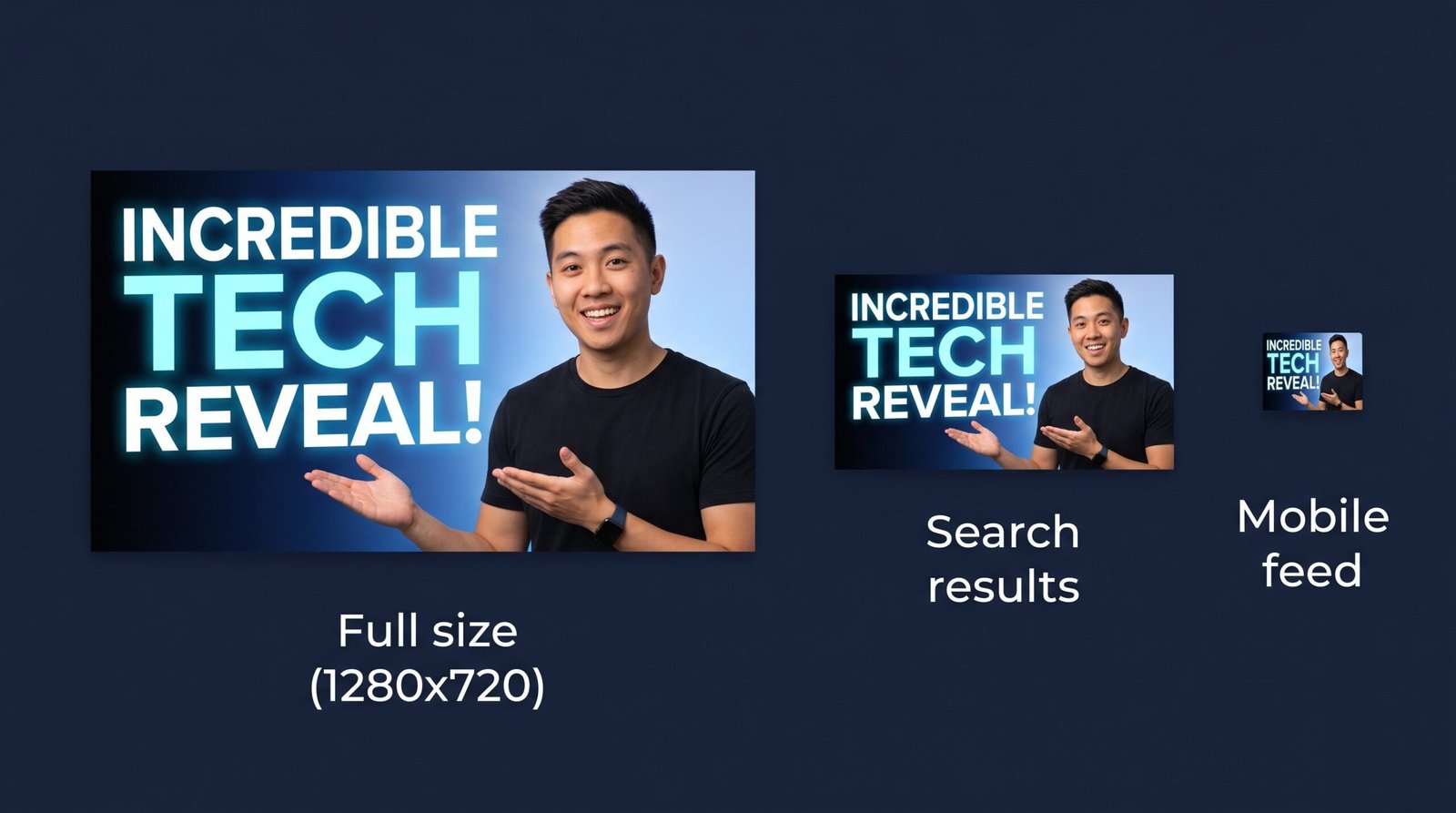
The same 1280×720 image displays at vastly different pixel dimensions depending on where a viewer encounters it. This is the gap most creators miss. You design a thumbnail that looks crisp in your editor and forget that YouTube will shrink it to a fraction of that size in the places it matters most.
| Surface | Approximate Render Size | Design Implication |
|---|---|---|
| Desktop home feed | ~360×202 px | Faces and large text remain readable. Small details disappear. |
| Watch-next sidebar (desktop) | ~168×94 px | Only one focal element and 2-3 words of text survive at this size. |
| Mobile home feed | ~360×202 px (variable by device) | Most YouTube watch time. Design for this size first. |
| YouTube search results | ~246×138 px (mobile), ~360×202 px (desktop) | Competing against 9+ other thumbnails. Contrast wins. |
| Video player end-screen suggestions | ~210×118 px | Viewer is choosing what to watch next. Clear hook matters. |
| Embedded player (third-party sites) | Variable, often 480×270 px | Plays before video loads. First impression for external traffic. |
| Google video carousel | ~120×68 px to 360×202 px | Outside YouTube entirely. Crisp thumbnails win SERP clicks. |
The single most important takeaway: design for the 168×94 watch-next size. If your thumbnail’s hook reads at that size, it reads everywhere. Test by exporting your design and shrinking it to 168 pixels wide. If you can’t tell what the video is about at a glance, redesign.
YouTube Thumbnails in Google Search
Your YouTube thumbnail isn’t just a YouTube asset. It’s a Google Search asset too. When your video ranks in Google’s video carousel or appears as a video rich result, your YouTube thumbnail is the image that displays. According to Google’s developer docs on video rich results, thumbnails are pulled from the video metadata and structured data on the page hosting the video.
This matters for video SEO. A YouTube video with a crisp, high-contrast 1280×720 thumbnail will look sharper in a Google SERP than the same video with a 640×360 thumbnail upscaled in browser. When ten video results sit next to each other in a Google carousel, the thumbnail you can read from across the room wins the click. Pair this with strong YouTube title optimization and you have a video that earns clicks from both platforms.
If you’re embedding your YouTube video on your own website, the thumbnail also feeds Google’s understanding of the page. Use proper VideoObject structured data and the same 1280×720 thumbnail URL referenced in the schema. Consistency between your YouTube thumbnail and your on-page thumbnail strengthens Google’s confidence that the video and page belong together.
The 7 Most Common YouTube Thumbnail Mistakes
These are the mistakes we see most often when auditing creator channels. Each one quietly drops click-through rate.
| Mistake | What Happens | Fix |
|---|---|---|
| Wrong aspect ratio (square or vertical) | YouTube adds pillarboxing or letterboxing bars, shrinking your effective image. | Always design at 16:9. Use 1280×720 as your canvas. |
| File size over 2MB | YouTube rejects the upload. You’re forced to compress at the last minute, often badly. | Export JPG at quality 80-90. PNG only if you need transparency or sharp text. |
| Designing below 1280×720 | Thumbnails look soft on 4K screens and lose sharpness when upscaled. | Always start at 1280×720 minimum. 1920×1080 works if file size allows. |
| Text too small for mobile | Text reads in your editor but vanishes at 168×94 in the watch-next rail. | Limit text to 3-5 words. Use minimum 60pt font on a 1280×720 canvas. |
| Low contrast between subject and background | Thumbnail blends into the feed. Viewers scroll past. | Use complementary colors and a clear silhouette. Add stroke or shadow to subjects. |
| Misleading clickbait | High CTR, terrible retention. YouTube’s algorithm punishes the gap. | Promise something your first 30 seconds delivers. |
| Wrong format (CMYK or non-sRGB) | Colors shift between your editor and the live thumbnail. | Export in sRGB, JPG or PNG. Never CMYK. |
YouTube Custom Thumbnail Size: How to Upload
To upload a custom thumbnail at the proper YouTube thumbnail size, your account must be verified. Verification means you’ve confirmed your phone number with YouTube. Without verification, the platform only lets you choose from three auto-generated frames from your video.
Once verified, the workflow is straightforward:
- Open YouTube Studio and select the video.
- Scroll to the Thumbnail section in the video details.
- Click Upload thumbnail.
- Select your 1280×720 JPG, PNG, GIF, or WebP file under 2MB.
- Save.
The thumbnail goes live within seconds for new videos and within a few minutes for existing videos as caches refresh. If your file is rejected, check the dimensions, aspect ratio, and file size against the specs in the table above. Nine times out of ten, an oversized file or a wrong aspect ratio is the culprit.
A/B Test Your Thumbnails With YouTube Test & Compare
YouTube Studio has a built-in thumbnail A/B testing feature called Test & Compare. Almost no competitor article on YouTube thumbnail size mentions this, which is strange because it’s the single most useful tool for improving click-through rate.
Test & Compare lets you upload up to three thumbnails for a single video and YouTube serves them to different audience segments. After the test runs (typically two weeks or until statistical significance), YouTube picks the winner based on watch time, not just click-through rate. That distinction matters. A high-CTR thumbnail that doesn’t deliver the promised content loses watch time and gets demoted in the algorithm.
To run a test:
- Open YouTube Studio.
- Navigate to Content and select an existing video.
- In the Thumbnail section, look for the Test & Compare option.
- Upload your second and third thumbnail variants at 1280×720.
- Start the test and check back when YouTube reports a winner.
The feature is available to most channels in good standing. If you don’t see it yet, it may be in staged rollout for your region. We suggest testing pairs of clearly different designs, not subtle tweaks. A face versus no face, red versus blue background, three words of text versus zero. Big swings teach you more than micro-adjustments.
Thumbnail Design Best Practices That Work in 2026
Specs alone won’t grow a channel. Design choices do most of the work once your dimensions are right.
One focal subject, not three
Pick one subject. A face, a product, an object. Crowd a thumbnail with multiple people, text blocks, arrows, and emoji and you lose every viewer who’s scrolling at speed. The watch-next rail at 168 pixels wide cannot hold three competing focal points.
Faces with clear emotion outperform neutral faces
This isn’t a guess. Eye-tracking studies on social media imagery consistently show humans look at faces first and emotion second. A surprised, confused, or determined expression earns the click. Neutral expressions don’t.
Pick a thumbnail color you don’t use in YouTube’s UI
YouTube’s interface is white, gray, and red. Build your thumbnail around colors that contrast with those. Bright yellow, vivid teal, deep purple, and lime green pop in feeds. Soft grays and muted pastels disappear.
Keep text to three to five words
Text on a thumbnail is a hook, not a summary. Use it to add context the image can’t carry. “I tried this for 30 days” works. “My personal experience trying out this thing for one month” doesn’t.
Design once, check at 168 pixels
Open your finished thumbnail in a browser tab and shrink the window until the image is roughly 168 pixels wide. If the hook still lands, you’re done. If it doesn’t, the design is too busy.
Thumbnails Are One Piece of YouTube SEO
A perfect thumbnail at the correct YouTube thumbnail size gets you the click. What you do before and after the click determines whether YouTube ranks you. Match your thumbnail with strong YouTube keyword research so you’re optimizing for searches that actually exist, then pair the visual hook with copy that delivers. Writing your YouTube description with clear context and timestamps signals relevance to the algorithm and improves how Google parses your video for rich results.
For channels building a discipline around this work, the best YouTube SEO tools surface keyword gaps, thumbnail CTR benchmarks against your niche, and historical performance trends. We’ve covered the best YouTube SEO tools elsewhere on the site, and a full YouTube optimization checklist walks through everything from thumbnail design to end-screen strategy.
Frequently Asked Questions
What is the best YouTube thumbnail size?
The best YouTube thumbnail size is 1280×720 pixels at a 16:9 aspect ratio, saved as a JPG or PNG under 2MB. This size renders crisply across desktop, mobile, TV, and Google video carousels with no scaling artifacts.
What is the YouTube thumbnail size in pixels?
1280 pixels wide by 720 pixels tall. The minimum width YouTube accepts is 640 pixels, but anything smaller than 1280×720 will look soft on modern displays.
What aspect ratio should a YouTube thumbnail use?
16:9. This matches the aspect ratio of HD video playback. Any other ratio causes letterboxing (gray bars top and bottom) or pillarboxing (gray bars left and right) in YouTube’s player and feed previews.
What is the maximum YouTube thumbnail file size?
2 MB for standard videos. If your file is larger, YouTube rejects the upload. Export JPGs at quality 80-90 to keep file size well under the limit while preserving sharpness.
What is the YouTube Shorts thumbnail size?
1080×1920 pixels at a 9:16 vertical aspect ratio. Shorts use the inverse ratio of long-form videos. Custom thumbnail upload isn’t available for every Short, so design assuming YouTube may auto-generate from a frame.
Can I use a PNG for my YouTube thumbnail?
Yes. YouTube accepts JPG, PNG, GIF, and WebP. Use PNG when you need transparency or sharp text edges. Use JPG when you want the smallest file size at high quality. Either format works at 1280×720.
Why is my YouTube thumbnail blurry?
Almost always because the source image is smaller than 1280×720 and YouTube is upscaling it, or because the file was compressed too aggressively. Re-export from your design tool at 1280×720 with JPG quality 85 and re-upload.
Do I need to be verified to upload a custom YouTube thumbnail?
Yes. Custom thumbnail upload requires phone verification on your YouTube account. Until verified, YouTube only lets you choose from three auto-generated frames pulled from your video.
How do I A/B test YouTube thumbnails?
Use YouTube Studio’s built-in Test & Compare feature. Upload two or three thumbnail variants for the same video, and YouTube serves them to different audience segments before selecting the winner based on watch time. Find it in the Thumbnail section of the video details page in YouTube Studio.
Does YouTube thumbnail size affect SEO?
Indirectly, yes. Thumbnails don’t carry keywords, but they drive click-through rate, and CTR is a core ranking signal in YouTube’s algorithm. Crisp 1280×720 thumbnails also display sharper in Google’s video carousel, improving visibility outside YouTube.