
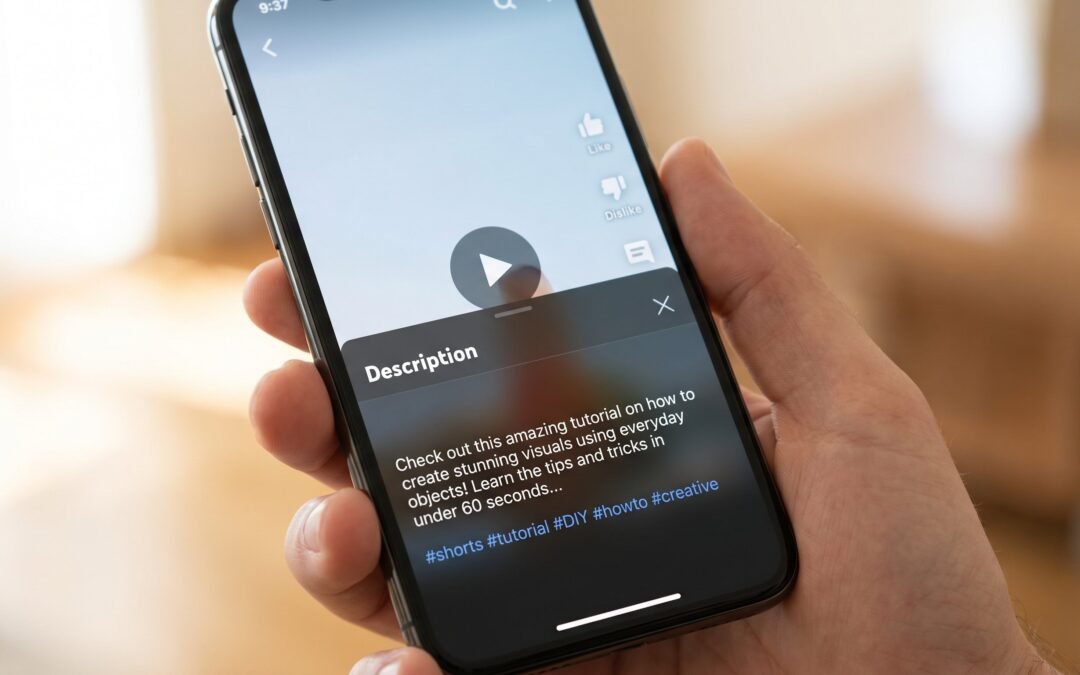
YouTube Shorts Description: How to Write One That Actually Gets Views
Most creators treat Shorts descriptions like an afterthought, either leaving them blank because “it’s only 60 seconds” or pasting the same description from their long-form upload. Both approaches leak views. Shorts have their own discovery mechanics, a different visible preview, and hashtag rules that punish the long-form playbook. This guide walks through exactly how to write a YouTube Shorts description that actually moves the algorithm in your favor.
To write a YouTube Shorts description, lead with a keyword-rich hook in the first 100 to 160 characters, since that is what shows in the Shorts feed before the “more” cutoff. Add 3 to 5 relevant hashtags including #Shorts, plus a short call to action. Skip copy-pasting from your long-form description, Shorts have different discovery mechanics and reward tighter, mobile-first writing.
How YouTube Shorts Descriptions Differ from Regular Video Descriptions
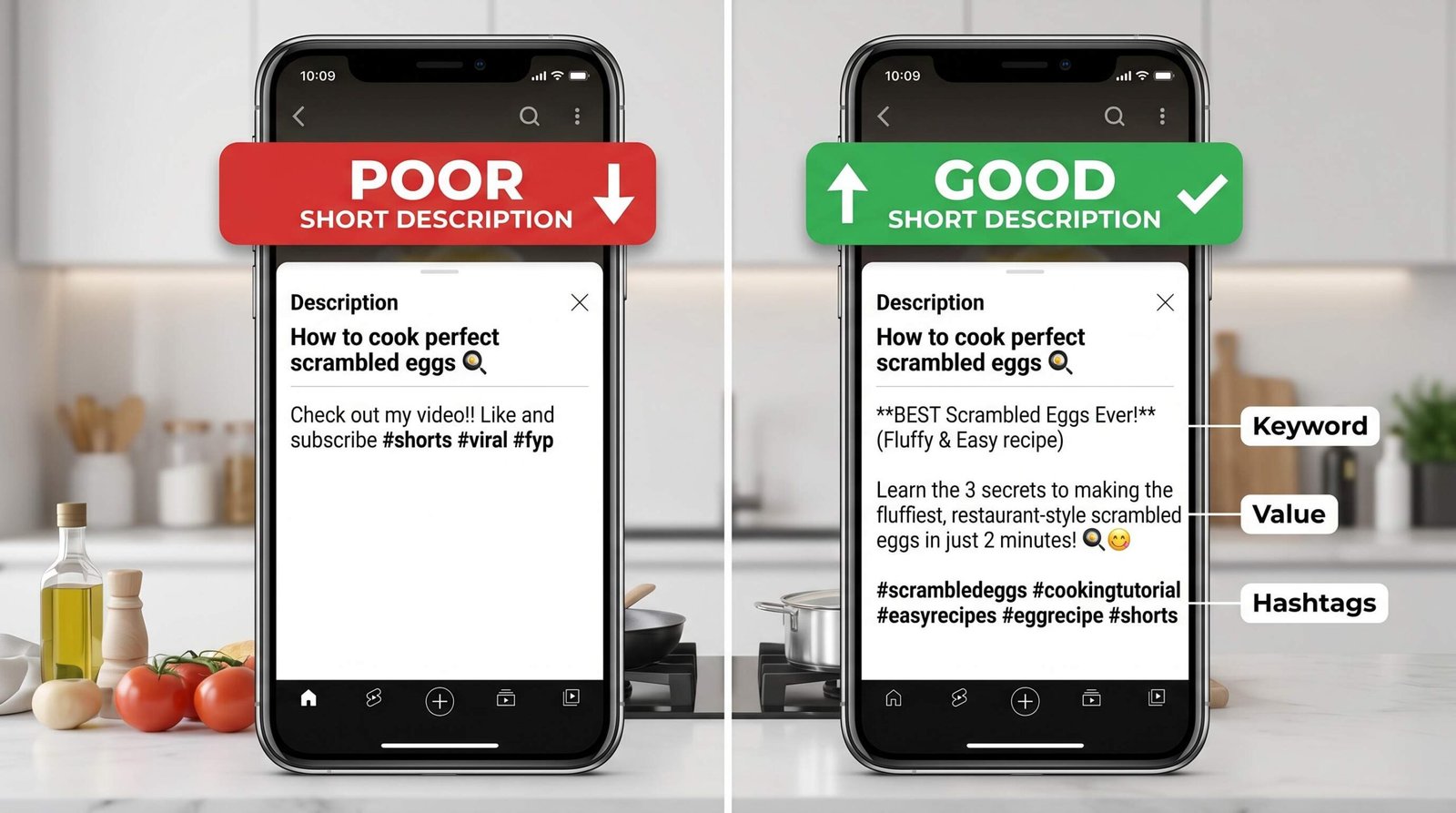
If you have spent time learning how to write a YouTube description for long-form videos, you already know the standard playbook: front-load 150 characters of keywords, then add timestamps, links, social handles, affiliate disclosures, and a wall of hashtags. None of that applies cleanly to Shorts. Here is what actually changes:
- The visible preview is tiny. In the Shorts feed, only the first roughly 100 to 160 characters appear before the “…more” cutoff. On long-form, viewers see a richer preview pane plus the option to expand below the video.
- Mobile-first consumption. Shorts are watched on phones in vertical scroll. Descriptions are a secondary touchpoint, not a destination the way they can be on a 10-minute tutorial.
- Different ranking signals. The Shorts algorithm weights watch time and swipe-away rate higher than search intent. Descriptions still affect how Shorts surface in YouTube search, but they do less heavy lifting than they do for long-form.
- Hashtags behave differently. #Shorts itself categorizes your video as a Short and helps YouTube route it to the feed. Niche hashtags help discovery within topics. Stuffing 15+ hashtags, which some creators do on long-form for tangential SEO benefit, actually hurts you on Shorts.
- No “user searched for this” context. Long-form viewers often arrive after clicking a search result. Shorts viewers mostly arrive via algorithmic feed. Your description is not selling them on a click, it is helping the algorithm classify and route the video.
The short version: a Shorts description is closer to an Instagram caption with hashtags than it is to a YouTube long-form description.
The First 160 Characters: What Shorts Viewers Actually See
What appears in the feed
When a Short plays in the Shorts player, viewers see the title, the channel name, and roughly the first 100 to 160 characters of your description before a “…more” link. The exact cutoff varies by device and screen width. Tap “…more” and the full description opens. Most viewers never tap.
That means everything that matters for the average viewer, your hook, your keyword, your hashtag visibility, lives in those first 160 characters. Treat the rest of the description like infrastructure: useful for the algorithm and the curious 5%, but not your primary writing target.
How to write a strong opening line
Three rules for the opening line:
- Include your primary keyword naturally. Not “youtube shorts description tips keywords 2026” but “Here is how I write descriptions for my Shorts so they get pushed to more feeds.”
- Front-load the value or the hook. The first 8 words should make someone want to read the next 8.
- Write like a human caption, not like a keyword list. If you would not say it out loud, do not type it.
A quick example for a cooking Short on weeknight dinners:
Weak opening: “Easy dinner recipes quick dinner ideas weeknight meals 30 minute meals cooking tips.”
Strong opening: “A 30-minute weeknight dinner my partner asks for every week. The full ingredient list is below.”
The strong version still contains the keyword phrase “30-minute weeknight dinner,” but it reads like a caption a viewer might actually finish.
The rest of the description
After the visible fold comes the supporting layer: 3 to 5 hashtags, a one-line call to action, any links you want to include, and series context if the Short belongs to a sequence. Skip timestamps. Shorts do not have a seekbar, so timestamps are useless and just clutter your character count. For the structural building blocks that do still translate from long-form, our YouTube description template walks through the full anatomy.
Hashtag Strategy for YouTube Shorts
Does #Shorts still matter?
Yes. Including #Shorts (or #Short or #YouTubeShorts) in the title or description tells YouTube this video is a Short and helps the system route it to the Shorts feed. Without it, your video can still appear in the feed based on vertical aspect ratio and length, but the hashtag adds a clear signal. YouTube’s own guidance for creating Shorts confirms this is one of the simplest signals you can give the platform.
How many hashtags to use
Three to five hashtags is the sweet spot. YouTube displays up to three hashtags above the title in the Shorts player. Going past five rarely adds discovery, and going past 15 starts to look like spam to viewers. Per YouTube’s hashtag rules, any video with more than 60 hashtags has every hashtag ignored, and over-tagging can result in video removal. The penalty is real.
The long-form move of dumping 15 to 30 hashtags into the description for tangential keyword pickup does not transfer to Shorts. We suggest treating hashtags on Shorts the way you would on TikTok or Instagram Reels: a small, intentional, mostly-niche set.
Niche hashtags vs. broad hashtags
The temptation is to use #cooking, #fitness, or #comedy. These have billions of views attached and feel like they could drive discovery. In practice, your tiny new Short cannot compete with thousands of other videos hitting that hashtag every hour. The result is your content gets buried in seconds.
Niche hashtags work better. #veganmealprep or #30minutedinner have smaller pools, more targeted viewers, and a far better chance of your video sticking near the top. A balanced approach mixes 1 to 2 broader category hashtags with 2 to 3 niche hashtags plus #Shorts. That gives the algorithm enough topical context without burning impressions in oversaturated tags.
| Hashtag type | Reach potential | Competition level | Best use case | Example |
|---|---|---|---|---|
| Brand hashtag | Low at first, grows over time | Very low (you own it) | Series grouping, building a channel identity | #JamiesKitchenLab |
| Niche topic hashtag | Medium | Moderate | Reaching a targeted audience in your specific subtopic | #30minutedinner |
| Broad category hashtag | High but diluted | Very high | Adding topical context for the algorithm, not discovery | #cooking |
| #Shorts/format hashtag | Format routing | N/A | Telling YouTube this is a Short | #Shorts, #YouTubeShorts |
| Trending hashtag | Spiky and high if timed well | High while trend is live | Riding a current moment, sound, or meme | #GRWM, seasonal tags |
What to Include in Your Shorts Description
Primary keyword (first sentence)
The first sentence is where your primary keyword earns its keep. Place it naturally, not stuffed. If your Short is about “iPhone camera settings,” a clean first line might be: “Three iPhone camera settings I changed and my photos got noticeably better.” The keyword sits in the line, the line still reads like a human wrote it.
Call to action
CTAs work in Shorts descriptions, just not the long-form CTAs. “Subscribe and hit the bell for weekly uploads” is too much for a Short. Try “Follow for more weeknight dinners” or “Comment your go-to lazy meal” instead. Keep it to one sentence, place it after the main descriptive text, and pick a CTA that matches the energy of a 60-second video.
Links
Links in Shorts descriptions are clickable on most platforms, but click-through rates are low because most Shorts viewers are in a fast scroll state. Include your link if you have a relevant destination, a related long-form video, a product page, your newsletter, but do not expect the same traffic you get from long-form descriptions. Place links after the main content and hashtags. If you want a deeper breakdown of what to include in descriptions across formats, our guide on what to include in a YouTube description covers the full hierarchy.
Series context
If your Short is part of a series, say so. “Part 3 of my 5-part iPhone tips series” can drive subscribers from viewers who like the first one and want to find the rest. This is one of the highest-ROI lines you can add to a description, especially for educational creators running consistent series.
Three YouTube Shorts Description Templates
Use these as starting points and customize the bracketed parts. Each template fits the 100 to 160 character visible preview rule.
1. Educational or how-to Short
[Specific outcome] in [time]. Here is the [step/tool/trick] I use every time.

Follow for more [niche] tips.

#Shorts #[niche topic] #[subtopic] #[broad category]
Filled-in example: “Crispier roast potatoes in 5 minutes prep. Here is the trick I use every Sunday. Follow for more weeknight cooking. #Shorts #weeknightdinners #roastpotatoes #cooking”
2. Entertainment or reaction Short
[Hook or punchline tease that does not spoil the video]. [Optional one-line context].

Comment your [related question or take].

#Shorts #[topic] #[niche reaction tag] #[trending sound or tag]
Filled-in example: “I did not expect this twist on a horror movie ending. Spoilers under 60 seconds. Comment your favorite horror plot twist. #Shorts #horrormovies #moviereactions #filmtok”
3. Product or brand Short
[Product] solves [specific problem] in [timeframe or way]. [One concrete proof point].

Link in description.

#Shorts #[product category] #[use case] #[brand tag]
Filled-in example: “This portable desk fan runs 12 hours on one charge and barely makes a sound. Link in description. #Shorts #deskaccessories #wfhsetup #productrecs”
What NOT to Do in a Shorts Description
These mistakes are the most common reasons Shorts descriptions either get ignored by the algorithm or actively suppress reach:
- Copy-pasting the long-form description word-for-word. Wrong structure, wrong hashtag count, way too long. The visible preview becomes generic boilerplate that does nothing for the Short.
- Keyword stuffing without context. “Best cooking recipe cooking tips 2026 cooking shortcuts easy cooking” reads as spam to both viewers and YouTube. Per YouTube’s own hashtag and tagging policy, repetitive descriptive sentences and over-tagging can lead to videos being removed or penalized.
- Using 15+ hashtags. The Shorts algorithm reads this as spam and the visible mass of tags reads as desperate to viewers. Stay between 3 and 5.
- Leaving it completely blank. You give up free keyword surface area and a chance to add series or channel context. Even one well-written line beats nothing.
- Adding timestamps. Shorts do not have a seekbar. Timestamps are dead characters that push more useful content past the “…more” fold.
- Misleading hashtags. Using #trending or #viral on content that has nothing to do with those terms violates YouTube’s hashtag policy and can lead to your Short being removed.
How to Update and Test Your Shorts Descriptions
You can edit a Shorts description after publishing and YouTube will not penalize you for it. This is how you actually learn what works on your channel.
What to check in YouTube Studio:
- Impressions and click-through rate. If impressions are decent but CTR is weak, the title and visible description hook are not landing. Rewrite the first line.
- Traffic source breakdown. If a Short is getting decent search traffic, the keywords are working. If it is almost all from the Shorts feed, search is not pulling weight and you may want to tighten the keyword in your first sentence.
- Average view duration. Description does not directly affect view duration, but it can affect who clicks in. If wrong-fit viewers click in and bounce, your hook is mismatched with the video.
For A/B style learning, change one variable at a time across similar Shorts. Try one set of niche hashtags on this week’s three Shorts, then a different set next week. Compare impressions and CTR. Do the same with opening lines: question-format hook one week, claim-format hook the next. Over a few months you will have your own channel-specific playbook. For a broader framework on iterating on video metadata, our YouTube video optimization checklist covers the full loop.
Frequently Asked Questions
Does the description matter for YouTube Shorts?
Yes, just less than it does for long-form. The description still affects how Shorts surface in YouTube search and helps the algorithm classify your video by topic. It also gives viewers a quick caption and CTA. The biggest impact comes from the first 100 to 160 characters and your hashtag choices.
How long should a YouTube Shorts description be?
Aim for 150 to 300 characters total. The visible preview is roughly 100 to 160 characters, so put your hook and primary keyword there. Add a one-line CTA and 3 to 5 hashtags after. Long-form’s 1000+ character descriptions are overkill for Shorts and most of it goes unread.
What hashtags should I use for YouTube Shorts?
Use 3 to 5 total: include #Shorts, 1 to 2 broader category tags relevant to your topic, and 2 to 3 niche tags specific to the video. Avoid trending tags that do not match your content, and avoid stacking 15+ tags. YouTube’s official Shorts search and discovery tips are a good cross-check.
Can I use the same description for Shorts and long-form videos?
No. The structure, length, hashtag count, and visible preview rules are different. A long-form description front-loads keywords for the expanded panel and uses timestamps and 5 to 15 hashtags. A Shorts description packs the hook into the first 160 characters, uses 3 to 5 hashtags, and skips timestamps. Use a dedicated Shorts approach.
Do YouTube Shorts descriptions affect monetization?
Not directly. Monetization eligibility for Shorts is based on the Shorts Monetization Module rules in the YouTube Partner Program: meeting the subscriber and Shorts views thresholds, following Community Guidelines, and original content. Descriptions do not change those criteria, but misleading hashtags or spammy descriptions can trigger policy strikes that hurt your overall channel standing.