
How Long Should a YouTube Description Be? (Optimal Length Guide)
Short answer: most YouTube descriptions should land between 250 and 500 words. But the right length depends on what kind of video you upload, where your viewers watch, and what you want the description to do. This guide gives you the exact numbers, the reasoning behind them, and a structure you can copy into your next upload.
The Quick Answer
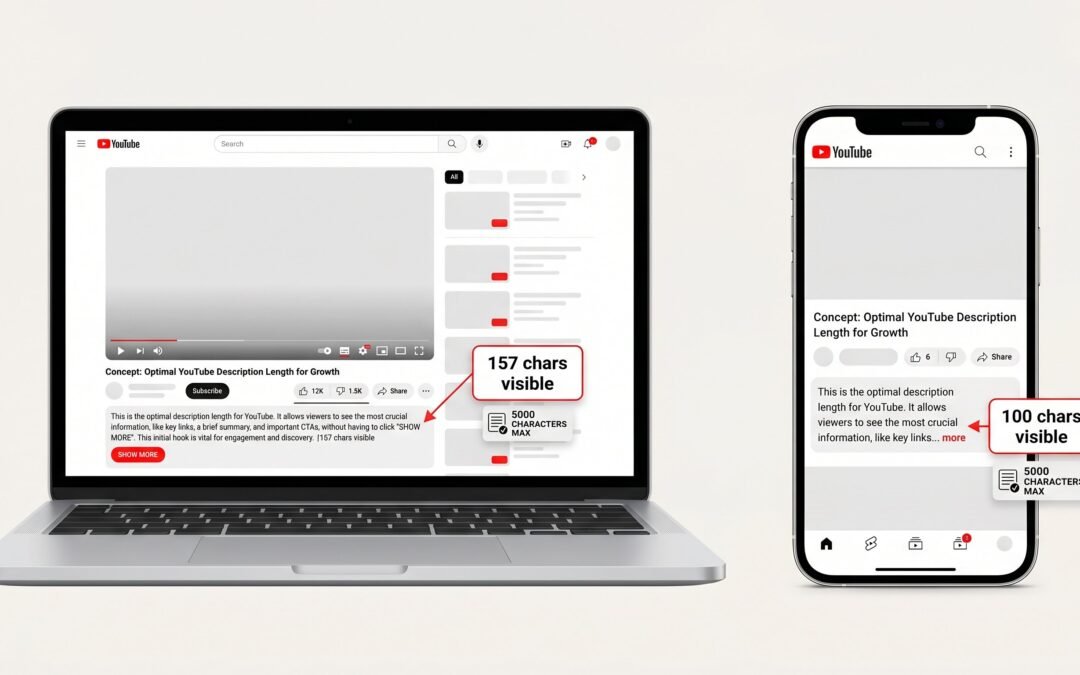
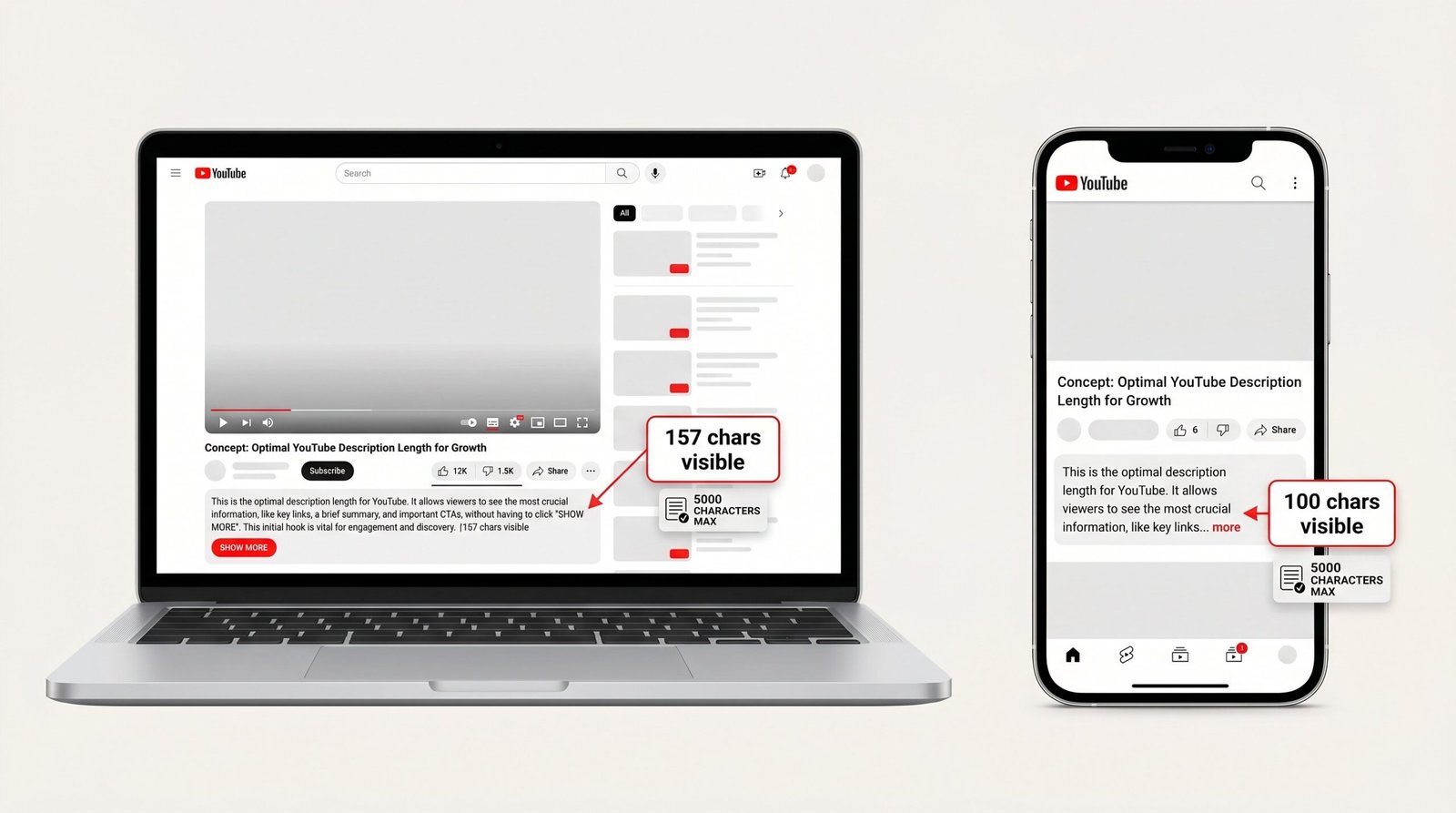
For most long-form videos, aim for 250 to 500 words (roughly 1,500 to 3,000 characters). YouTube allows up to 5,000 characters total. The first 157 characters appear above the fold on desktop, and the first 100 to 150 on mobile. Google’s search result snippet pulls roughly the first 155 characters, so front-load your primary keyword and a clear value proposition in sentence one.
That is the rule that fits 80 percent of channels. The rest of this guide covers the exceptions, the reasoning, and what the smartest creators do differently.
YouTube’s Description Character Limit Explained
YouTube caps every video description at 5,000 characters, which works out to roughly 800 words depending on word length. YouTube’s official character limit documentation confirms the 5,000-character maximum and notes that the field accepts plain text, hashtags, and links, but no HTML formatting.
That 5,000-character ceiling is a hard limit. Try to paste more and the editor truncates the text without warning. A common rookie mistake is writing a long description in a separate document, pasting it in, and not realizing the last paragraph got cut off mid-sentence. Always check the character counter at the bottom of the description box before publishing.
For context, 5,000 characters is about the length of a short blog post. You can fit a video summary, full timestamps, three paragraphs of supporting copy, a list of resources, social links, and disclaimers within that budget. You almost never need every character, and using all of them rarely helps performance.
What “Above the Fold” Actually Means
Above the fold is the slice of your description that viewers see before they tap “Show more.” This is the most valuable real estate you own on the YouTube page, and most creators waste it.
| Platform | Visible characters before “More” |
|---|---|
| YouTube desktop | ~157 characters |
| YouTube mobile app | ~100 to 150 characters |
| YouTube mobile web | ~100 characters |
| Google search snippet | ~155 characters |
Why does this matter so much? Studies of viewer behavior consistently show that fewer than 10 percent of viewers ever click “Show more.” That means the 150 or so characters above the fold are the only part of your description most people will ever read. They are also the only part Google shows in its search result snippet, which means they double as your organic search ad copy.
Treat that first sentence like a headline. Lead with the primary keyword, then deliver the single most useful promise of the video. If you sell a tutorial, name the result the viewer will get. If you run a vlog, hook the reader on the topic, not the day of the week.
Ideal Description Length by Video Type
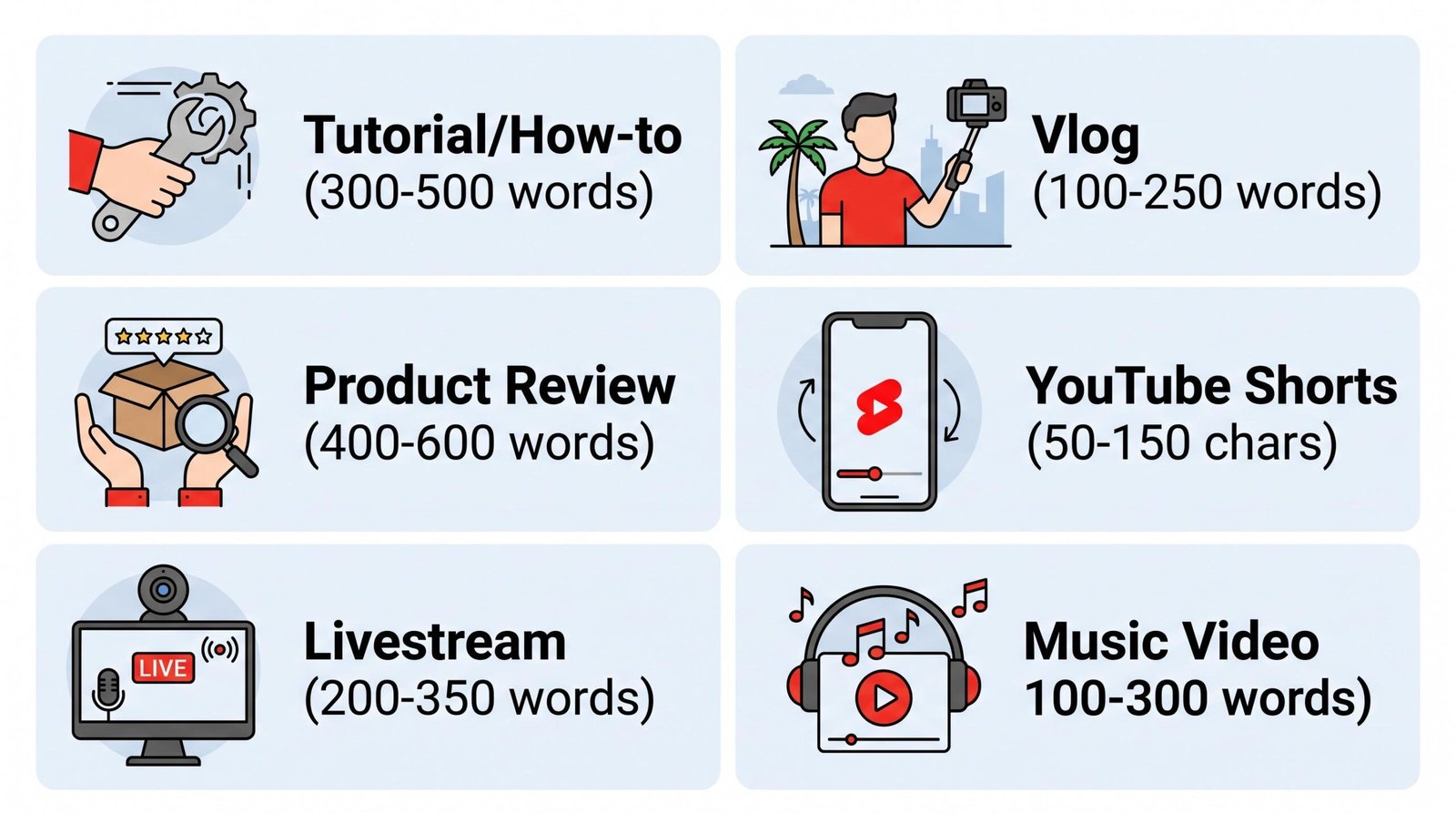
One blanket length does not fit every format. A 500-word description on a 30-second Short looks ridiculous. A 50-character description on a 45-minute documentary leaves keyword opportunity on the table. Use this table as your starting reference.
| Video Type | Suggested Length | Why |
|---|---|---|
| Long-form tutorial or how-to | 300 to 500 words | Enough room for keyword variations, steps, and links |
| Vlogs and personal content | 100 to 250 words | Viewers want context, not essays |
| Product review or comparison | 400 to 600 words | Time stamps, specs, and affiliate links need space |
| YouTube Shorts | 50 to 150 characters | Short video, short description; keyword in first line |
| Livestream recording | 200 to 350 words | Event summary, timestamps, and guests |
| Music video | 100 to 300 words | Lyrics, credits, and streaming links |
The pattern is simple. Videos with more topical density (tutorials, reviews, livestreams) earn longer descriptions because there is real information to convey: chapters, steps, gear lists, and references. Videos with a narrower information payload (vlogs, music, Shorts) deserve tighter descriptions that respect the viewer’s attention.
For Shorts specifically, the algorithm and audience behave differently. We cover the format-specific rules in our guide to writing YouTube Shorts descriptions, but the short version is this: lead with one hook line plus two or three relevant hashtags, and stop.
Does Length Actually Affect YouTube SEO?
Yes, but not in the way most creators think. YouTube’s algorithm scans the full 5,000 characters when it tries to understand what your video is about. A longer description gives the system more textual signals: synonyms, related terms, named entities, and topical context. That is the upside.
The downside is keyword density. If your primary keyword appears twice in a 100-word description, the density is 2 percent. The same keyword used twice in an 800-word description is 0.25 percent. Stuffing more keywords into a longer description usually backfires, because YouTube has trained its model to penalize obvious repetition. Natural variation wins over forced repetition every time. Solid keyword research for YouTube helps you find those natural variations before you draft the description.
Google search treats the situation differently. Google’s documentation on video search appearance explains that the search engine uses video metadata, including description text, to choose snippets and rank video results. Because the visible snippet is roughly 155 characters, the first sentence of your description is doing double duty: it has to satisfy YouTube’s internal ranking and Google’s organic click-through. Front-loading is not a style preference. It is a structural requirement.
For heavily targeted keyword posts, 300 to 500 words usually hits the sweet spot. You get enough room for keyword variation without diluting density into noise, and you give YouTube enough surface area to confidently categorize the video.
How to Structure Your Description for Maximum Impact
Length matters less than structure. A 200-word description with the right architecture outperforms a 600-word wall of text every time. Use this three-part skeleton on every upload.
First 2 to 3 sentences (the visible block)
This is your above-the-fold real estate. Include your primary keyword in the first sentence, then state the value proposition clearly. What does the viewer get if they watch? Resist the urge to start with “In this video, I will” because that wastes characters Google could be using to surface your snippet. Open with the topic, the benefit, and a hint of personality.
Middle section (the supporting block)
This is where most of the body copy lives. Use it for chapters with timestamps, a short summary of what the video covers, supporting keywords that did not fit naturally in the opener, and any context viewers need (gear used, sources referenced, recipe ingredients). If your video has chapters, timestamps belong here and should follow the 0:00 format. Properly formatted timestamps trigger YouTube’s chapter feature and create another search ranking signal.
End (the call to action and link block)
Close with one clear call to action. Subscribe, visit a website, join a community, buy a product. Then list your links: social handles, related videos, affiliate disclosures if required, and your channel hub. This block can be templated and reused across uploads, which saves time and keeps your branding consistent.
If you want a reusable scaffold, we keep a proven YouTube description template that codifies this structure. For a deeper walkthrough on the craft side, our guide to writing an optimized YouTube description covers the line-by-line techniques. Creators who batch-write descriptions across many uploads often save hours with our YouTube description generator, which builds the structure for you and leaves the creative voice work to the human.
Common Length Mistakes to Avoid
The same handful of errors trip up creators at every channel size. The first is writing a near-identical description for every video. When YouTube and Google see the same boilerplate text on multiple uploads, neither system has a strong signal about which video matches which search query. The result is poor differentiation and weaker rankings across the channel.
The second mistake is the opposite extreme: dumping 800 words of keyword-stuffed copy into the field. This used to work in 2014. It no longer does. Modern ranking systems detect repetition and treat it as a quality issue. Long descriptions only help when the extra words add genuine context, not when they exist solely to repeat a phrase.
A third mistake is leaving the description blank or writing one throwaway sentence. Even on a vlog, the description is free SEO surface area. Skipping it is like uploading without tags. The algorithm has less context to work with, and your video competes from a deficit.
Finally, plenty of creators bury the most important information below the “Show more” fold. The link to your free guide, the discount code, the affiliate disclosure, the timestamp index, all of these get more interaction when they sit in the first visible block or directly under the opening sentence. If something matters, raise it above the fold.
FAQ
What is the maximum length for a YouTube description?
YouTube allows a maximum of 5,000 characters per video description, which is roughly 800 words. The limit applies to every video type, including Shorts, livestreams, and standard uploads. The platform truncates anything beyond 5,000 characters without warning.
Does a longer description rank better on YouTube?
Not directly. Longer descriptions can rank better because they give YouTube’s algorithm more textual signals, but length alone is not a ranking factor. Relevance, keyword placement, and watch time matter more. A focused 300-word description usually outperforms an unfocused 800-word one.
How many words should a YouTube description be?
For most long-form videos, 250 to 500 words is the sweet spot. Tutorials and product reviews benefit from the higher end of that range. Vlogs and music videos can stay closer to 100 to 250 words. YouTube Shorts should stay under 150 characters.
What should I put in the first line of my YouTube description?
Put your primary keyword and the core value proposition in the first sentence. This block is visible above the fold on desktop and in Google search snippets, so it is the most valuable text in the entire description. Skip filler phrases like “In this video” and lead with the topic and benefit.
Are YouTube Shorts descriptions the same length as regular video descriptions?
No. Shorts descriptions perform best at 50 to 150 characters, far shorter than long-form descriptions. The format is built for quick consumption, and most viewers never expand the description on a Short. Lead with one keyword-rich line and two or three hashtags.
How does description length affect Google search rankings?
Google uses video description text to choose the snippet shown in search results, but it only displays roughly the first 155 characters. Length beyond that point does not affect the snippet, although it still helps Google understand the video’s topic. Front-loading the key information is more important than total length.
Should I use all 5,000 characters in my YouTube description?
Almost never. Using the full character limit only helps when you have genuine information to share, such as full timestamps on a long livestream or detailed credits on a music video. For most uploads, 1,500 to 3,000 characters covers everything that needs to be said without diluting keyword density.
Do timestamps count toward the description character limit?
Yes. Every character in the description field counts toward the 5,000-character cap, including timestamps, links, and hashtags. Most channels still have plenty of room because timestamps usually account for fewer than 500 characters even on long videos with many chapters.