

YouTube Keyword Research: Complete Guide to Finding Keywords That Get Views
Most creators publish videos and hope the algorithm picks them up. The creators who actually grow do something different: they figure out exactly what their audience types into the search bar before they ever hit record. That process is called YouTube keyword research, and it is the single highest-leverage habit you can build if you want consistent views from search and suggested videos.
Quick answer: YouTube keyword research is the process of finding search terms that YouTube users type to discover videos. Unlike Google SEO, YouTube favors medium-volume keywords with strong viewer intent, watch time signals, and click-through rate. The goal is matching what people search to topics you can cover well, so the algorithm has clear signals to rank and suggest your video.
This guide walks through how YouTube actually uses keywords, the free tools that give you reliable data, a repeatable seven-step research process, and the differences between keyword strategy for Shorts and long-form. If you only have time for one bookmark on YouTube SEO this year, make it this one.
Why YouTube Keyword Research Is Different From Google SEO
Google ranks pages. YouTube ranks videos and viewers. That sounds like a small distinction, but it changes everything about how you choose keywords.
On Google, search volume and backlinks dominate. A page can earn the top spot by being the most authoritative answer to a query, even if nobody clicks through for weeks. YouTube does not work that way. The platform optimizes for session time, which is the total minutes a viewer spends on YouTube after clicking a video. That means three signals matter more than raw search volume:
- View velocity: how many views your video gets in the first 24 to 72 hours after publishing
- Click-through rate (CTR): the percentage of people who see your thumbnail and click
- Average view duration and percentage watched: how long viewers stay before bouncing
A keyword with 10,000 monthly searches and weak competition will outperform a 100,000-search keyword where the top results have a million views each. New channels rarely beat established ones on broad terms, so finding the right size of keyword matters more than chasing the biggest number on the screen.
Another big difference: Google rewards depth on a topic across many pages of a domain. YouTube rewards depth on a topic across many videos on a channel. Each video should target one core keyword, but your channel as a whole should cluster around a few themes. If your last twelve videos are all about home espresso machines, the algorithm has a clear understanding of who to suggest you to. Jumping topics confuses the system and tanks your suggested traffic.
How YouTube Uses Keywords (Where They Actually Look)
YouTube does not publish the full ranking formula, but its creator help center and engineering blog posts have confirmed several signals it reads when matching videos to searches. Here is where keywords actually pull weight.
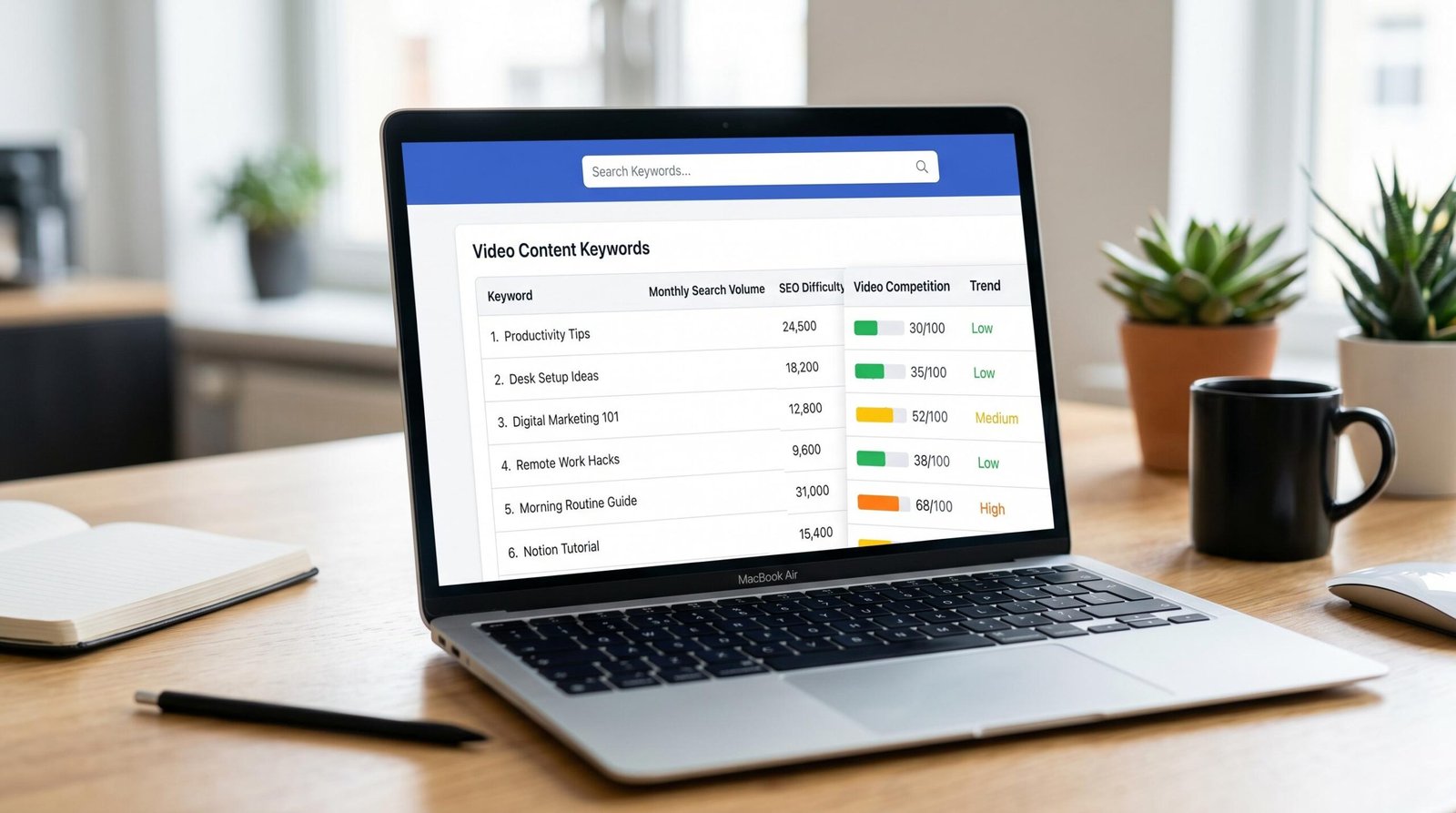
1. Video title
The title is the strongest single-keyword signal you can send. Front-load the primary phrase, keep it under 60 characters when possible, and write something a human would click. A title like “How to Edit YouTube Videos in CapCut (Beginner Tutorial 2026)” pairs the search phrase with intent and a year, which both improve CTR.
2. Description
The first two to three sentences carry the most weight, because they show in search snippets and confirm relevance to the algorithm. Use your primary keyword once in the opening, then weave in two or three semantic variations across the next 100 to 200 words. After that, descriptions are mostly for viewers, not for ranking.
3. Tags
Tags carry less weight than they did a few years ago, but they still help with disambiguation, especially for niche topics, misspellings, or topics that share a name with something unrelated. We suggest 8 to 12 tags per video, starting with your exact target phrase and moving outward to broader topic tags.
4. Transcript and captions
YouTube auto-generates a transcript from your audio, and that text is indexed. If you never say your target keyword in the video, you are leaving a real signal on the table. Mentioning the phrase naturally in the first 15 seconds and a few times throughout the script is enough.
5. File name
The original file name of your upload is read once before processing. Renaming a clip from “Final_Export_v3.mp4” to “youtube-keyword-research-tutorial.mp4” takes ten seconds and adds a small but real signal.
6. Hashtags and chapters
Hashtags placed in the description (up to three show above the title) and chapter markers in the description both index as text. Chapters in particular help YouTube understand sub-topics inside long videos, which can earn you “Key moments” placements in Google search results.
For a deeper walk-through of placement and structure, our complete YouTube video optimization checklist covers each field in order with examples.
Free YouTube Keyword Research Tools Compared
You do not need a paid subscription to do solid keyword research. The five tools below cover 95 percent of what a beginner or intermediate creator needs. Each one has a free tier worth using, and most creators end up combining two or three of them.
| Tool | Search Volume Data | Difficulty Score | Free Tier Limit | Best For |
|---|---|---|---|---|
| VidIQ keyword research tool | Yes, monthly searches with relative bar | 0-100 score plus competition rating | 3 keyword lookups per day, daily ideas feed | Daily ideas and quick competitor scans |
| TubeBuddy | Yes, search volume index | Weighted score with letter grade | Limited tag tracking and 25 explorer searches | In-browser tag suggestions while you upload |
| KeywordTool.io | Hidden on free tier, shown on paid | Not on free tier | Up to 750 long-tail keywords per seed | Bulk long-tail keyword discovery |
| YouTube Auto-Suggest | No, but ordered by popularity | No | Unlimited | Validating real search demand from real users |
| Google Trends | Relative interest score over time | No | Unlimited | Spotting rising topics and seasonality |
If you want a single starting point, run YouTube Auto-Suggest first to find what real searchers type, then pull those phrases into VidIQ or TubeBuddy to see volume and difficulty. For a curated, no-account-needed option, the free YouTube keyword research tool from ryrob is helpful for quick seed exploration before you commit to a full session in a paid platform.
Step-by-Step: How to Find YouTube Keywords
The following seven-step process is what we use to build a publishing calendar for a new or growing channel. Block out 60 to 90 minutes for your first session. Once you have the rhythm, ongoing weekly research takes around 20 minutes.
-
Define your niche in one sentence.
Write a single sentence that names your audience and the outcome you help them get. Example: “I help home cooks make restaurant-quality pasta in under 30 minutes.” That sentence gives you the seed words you will expand from: pasta, home cooking, weeknight dinners, Italian recipes, quick meals.
-
Brainstorm 10 to 15 seed keywords.
Pull from your one-sentence niche. Mix broad topics (home pasta), buyer-intent terms (best pasta maker for beginners), question phrases (how to make pasta without a machine), and comparison phrases (fresh vs dried pasta). Drop them into a spreadsheet column called “Seeds.”
-
Expand each seed with YouTube Auto-Suggest.
Open YouTube in an incognito window so personalized history does not skew the suggestions. Type each seed and write down every dropdown phrase. Then add letters A through Z after the seed (for example, “home pasta a”, “home pasta b”) to pull adjacent suggestions. You should end up with 50 to 150 candidate phrases.
-
Pull volume and competition data.
Paste your candidates into VidIQ, TubeBuddy, or KeywordTool.io and grab the monthly search estimate and difficulty score. Sort by volume descending. Anything with no data is usually too small to bother with for now.
-
Audit the top 5 results for each shortlisted keyword.
For your top 15 candidates, search the phrase on YouTube and look at the first page of results. Note view counts, channel size, upload date, and whether the videos genuinely answer the query. If the top results are all from channels with under 50,000 subscribers, or if the top videos are 3+ years old and not great, that is a green light.
-
Score each keyword on a simple 1 to 5 grid.
Rate every candidate on two axes: opportunity (volume plus weak competition) and fit (your ability to make the best video on it). Anything that scores 4 or 5 on both axes goes to the top of your content calendar. Anything that scores 1 or 2 on fit gets cut, even if the opportunity is huge.
-
Group winners into clusters and plan a series.
The fastest growth on YouTube comes from cluster videos that share themes and link to each other. Take your top 10 keywords and group them into two or three clusters. Plan a series for each cluster so each new video supports the others through end screens, cards, and playlist placement.
Finding Low-Competition Keywords: The Sweet Spot
For brand-new channels under 1,000 subscribers, we suggest targeting keywords in the 1,000 to 10,000 monthly search range. This is the sweet spot for three reasons.
First, demand is real but not saturated. Anything under 1,000 searches per month often is not worth the production effort unless you can rank for several related phrases at once. Anything over 10,000 searches usually has top results from channels with hundreds of thousands of subscribers, which gives the algorithm a strong reason to trust them over a new channel.
Second, the keyword pool is huge. There are millions of phrases in this range. You will never run out of topics if you commit to long-tail thinking. A creator who publishes 50 videos in their first year, each targeting a 2,000-search keyword, often outperforms a creator who chases three big keywords and never ranks for any of them.
Third, mid-volume keywords compound. As your channel earns watch time on smaller queries, the algorithm starts suggesting your videos to viewers searching adjacent phrases. After 20 or 30 well-targeted uploads, you start to get traffic on keywords you never specifically targeted. That is the snowball that established channels live on.
How do you know a keyword is genuinely low-competition? Three quick checks:
- The top 5 search results have fewer than 100,000 views each, or are older than 18 months
- At least two of the top results come from channels with under 50,000 subscribers
- The titles in the top results miss obvious sub-topics you could cover
If all three boxes get checked, that keyword belongs at the top of your calendar.
Using YouTube Auto-Suggest and Related Videos
Auto-Suggest is the most underused tool in YouTube SEO. It is free, real-time, and built from actual search queries from real users in the last 30 to 90 days. No keyword tool can match that signal quality.
Here is how to squeeze the most out of it:
- Use incognito or a logged-out browser. Your search history personalizes the suggestions. To see what the broader audience searches for, you need a clean slate.
- Add modifiers in front and behind your seed. Search “how to [seed]”, “[seed] for beginners”, “[seed] 2026”, “best [seed]”, “[seed] vs”, “[seed] review”. Each modifier surfaces a different cluster.
- Try voice-search style phrases. Phrases like “why does my pasta stick together” or “what is the best pasta for kids” map onto how people actually talk into their phone. These often have low competition because creators do not think to target them.
- Save the gold. Anything that appears in Auto-Suggest is being searched for right now. Drop every relevant phrase into your spreadsheet for the next research step.
Related Videos work the same way in reverse. Find a video in your niche that has done well, then look at the right-hand sidebar (desktop) or “Up next” feed (mobile). YouTube is telling you which topics it groups together. Those titles are a free map of your topical neighborhood, and the keywords inside them are battle-tested.
YouTube Shorts vs. Long-Form: Do Keywords Work Differently?
This is the question almost no other guide answers properly. The short version: keywords matter for both formats, but they pull different weight at different times in the video lifecycle.
Shorts: keywords for discovery on day 1 to 7
YouTube Shorts surface mainly through the Shorts feed, which is an algorithmic suggestion stream more like TikTok than traditional YouTube. Keywords in the title, description, and on-screen text help the algorithm classify your Short and decide who to show it to in the first 24 hours. After that, watch-through rate and re-watches drive distribution far more than text signals.
Practical rules for Shorts keywords:
- Keep titles short, ideally under 40 characters, with the keyword early
- Add one or two hashtags in the title (for example, #shorts plus one topical tag)
- Put your keyword phrase on-screen as text in the first 1 to 2 seconds so the auto-caption captures it
- Skip long descriptions, three to four sentences with your keyword once is plenty
Long-form: keywords for search and suggested across months and years
Long-form videos earn the majority of their lifetime views from search and suggested feeds, both of which are heavily keyword-driven. A good long-form video can keep pulling views for two or three years if it targets the right phrase. That long tail is why keyword research is more important for long-form than for Shorts.
Practical rules for long-form keywords:
- Match your title closely to your target search phrase
- Use the full keyword in the first 25 words of the description
- Add chapter markers that include keyword variations
- Mention the keyword naturally in your opening 15 seconds of audio so the transcript catches it
One thing creators get wrong with Shorts SEO
Stuffing 30 hashtags or a wall of repeated keywords in a Short description does not help, and sometimes hurts. The Shorts algorithm is leaning more on visual and audio signals every quarter. Treat keywords in Shorts as a tiebreaker, not a primary lever, and put your effort into the hook, the audio, and the on-screen text. For long-form, do the opposite: take keyword placement seriously because the payoff lasts years.
How to Place Keywords Where They Count in Your Video
Finding the right keyword is only half the work. Placement is what tells YouTube your video is the answer to that search. The framework below is what we use across every upload.
Title formula
Two title templates outperform almost everything else for SEO and CTR:
- How-to format: “How to [keyword] (Step-by-Step Tutorial)”
- Number format: “[Number] [Keyword] That [Outcome]”
For example: “How to Edit Vertical Video in Premiere Pro (Step-by-Step Tutorial)” or “7 YouTube Keyword Research Tactics That Get Real Views.” Both put the keyword inside a click-worthy promise.
Description structure
A high-performing description has five blocks in this order:
- Hook line with the keyword in the first sentence (the line that shows in search results)
- Three to five sentences that expand on the keyword and what the viewer will learn
- Chapter markers formatted as timestamps with keyword variations in each label
- Resource links and one or two internal links to related videos
- Social and channel links at the bottom
If you want a copy-paste structure with examples, our YouTube description template walks through each block with sample copy.
Tags strategy
Order matters. YouTube weighs the first tag heaviest. Lead with your exact target keyword, then add three to four close variations, then three to four broader category tags, then one to two brand or channel tags. Avoid using 30+ tags. Eight to twelve is the sweet spot for relevance without dilution. For 2026 trends and tag selection, see our guide to YouTube tags in 2026.
Transcript and on-screen text
Say your target keyword out loud within the first 15 seconds. Repeat it naturally two or three more times across the video, ideally at chapter transitions. Then add a single line of on-screen text early in the video with the keyword phrase. These two small habits cover the transcript signal and the auto-caption signal at the same time.
Tracking Your Keyword Performance
Research without measurement is guessing. Once you publish, track keyword performance for at least the first 30 days. Three reports inside YouTube Studio give you the data you need.
1. Traffic Source: YouTube search
Go to Analytics, then Reach, then Traffic Source: YouTube search. This shows the exact phrases viewers typed to find your video. If your target keyword shows up in the top three within the first week, the placement is working. If it never appears, your keyword either had less demand than the tool suggested or your video did not match search intent closely enough.
2. Impressions click-through rate
The Reach tab shows impressions, which are the times your thumbnail appeared on the platform, and the CTR percentage. A healthy CTR for a new video is usually 4 to 10 percent. If your CTR is under 3 percent, the thumbnail or title is not selling the keyword promise well enough. Iterate on the thumbnail first, then the title.
3. Average view duration
If viewers click but bounce within the first 30 seconds, YouTube reads that as a poor match for the search query, and your ranking will fall. Aim for at least 50 percent average view duration on videos under 8 minutes, and 40 percent on videos 8 to 20 minutes long. If duration is low, your hook is the problem, not your keyword.
Build a weekly review habit
Every Monday, spend 15 minutes opening your last four videos in YouTube Studio. For each one, note which keyword pulled in views, which one fell flat, and what the actual search queries told you. Within two months you will have a private data set far more useful than any third-party tool.
For the bigger picture of channel-level optimization, our overview of the best YouTube SEO tools covers the tracking stack we use alongside YouTube Studio.
FAQ
How long should I spend on YouTube keyword research before each video?
For your first ten videos, spend 30 to 45 minutes per topic on research. Once you build a content calendar with 20 to 30 pre-researched keywords queued up, ongoing weekly research drops to about 20 minutes. The biggest payoff is at the front end when you are mapping your niche.
What is a good search volume for a new YouTube channel?
Aim for 1,000 to 10,000 monthly searches per keyword while your channel is under 1,000 subscribers. This range gives you real demand without forcing you to compete with huge channels. As your subscriber count and watch time grow, you can target larger keywords with confidence.
Do tags still matter for YouTube SEO in 2026?
Tags carry less weight than they did five years ago, but they still help in three cases: disambiguating niche topics, catching common misspellings of your topic, and reinforcing your category. We suggest 8 to 12 tags per video, with the exact keyword first. Do not stuff 30 tags hoping for a boost. It does not work.
How do I find keywords my competitors are ranking for?
Open three or four channels in your niche that are roughly your size or slightly larger. Sort their videos by Most Popular. The top 10 to 15 videos on each channel are your competitor keyword map. Run those titles through VidIQ or TubeBuddy to see the keywords each video targets, then look for adjacent phrases your competitors have not covered yet.
Should I target the same keyword across multiple videos?
No. Each video should target one primary keyword and two or three semantic variations. Targeting the same exact keyword on multiple videos causes them to compete with each other in search results, a problem sometimes called keyword cannibalization. Pick a different angle or sub-topic for each upload.
Are paid tools like VidIQ or TubeBuddy worth it?
For most beginners, free tiers are enough for the first 6 to 12 months. The upgrade pays off once you publish consistently and need bulk data, deeper competitor scans, or daily ideas. We suggest starting free, then upgrading the tool you naturally reach for the most.
How often should I refresh keyword research for older videos?
Audit your top 10 videos every 90 days. Check whether the target keyword still has demand, whether your title still matches what people search, and whether new competitor videos have outranked you. Small refreshes (updating the title, refreshing the description, swapping the thumbnail) can revive a video that has stalled.
Can I rank for keywords I never thought to target?
Yes, and it happens more often than you might expect. As you publish more videos on a tight theme, YouTube starts suggesting you for adjacent queries. Your traffic source report will surface these “found” keywords. When you see one repeating, build a follow-up video that targets it directly to capture the demand.