

YouTube Title Optimization: 8 Proven Formulas + A/B Testing Guide
A great YouTube title is 60-70 characters, front-loads the target keyword, and triggers curiosity or self-interest within the first three words. The strongest titles combine a proven formula (curiosity gap, numbered list, how-to) with an emotional hook, then get validated through YouTube Studio’s built-in A/B test feature before being locked in.
Most creators spend hours editing footage, then write a title in 30 seconds and wonder why their video flatlines. That order is backwards. Your title decides whether anyone presses play, and on YouTube, no play means no watch time, and no watch time means the algorithm stops recommending you. This guide walks through everything we have learned about YouTube title optimization from running A/B tests on hundreds of titles across multiple niches: the technical rules, eight title formulas that consistently move click-through rate, the psychology behind why people click, and a step-by-step testing method you can run on your next upload.
Why Your YouTube Title Is Worth More Than Your Thumbnail
The thumbnail gets the attention. The title closes the deal. Eye-tracking studies of YouTube browse pages show viewers scan the thumbnail first, but the title is what they read to decide if a click is worth their time. A weak title can sink a strong thumbnail, but a strong title can save a mediocre one. Among the levers creators control, the title carries the most weight because it does double duty: it sells the click to humans and signals topic relevance to YouTube’s ranking systems.
How YouTube’s Algorithm Uses Titles
YouTube reads your title to figure out what your video is about. That topic match feeds into search rankings, suggested video pairings, browse feed eligibility, and even who sees the video in the first place. According to YouTube’s own Creator Academy guidance on discovery, the title (along with the description and tags) is one of the primary signals the system uses to understand context. If your title says “beginner guitar lesson” but the audio is about advanced jazz theory, YouTube will eventually figure that out from watch behavior, but the wrong title will get you served to the wrong audience from minute one, which kills retention before the algorithm gives you a second chance.
This is why youtube title seo is not the same as Google SEO. You are not trying to rank a static page. You are sending a signal to a recommendation system that has minutes, not months, to decide if your video deserves more impressions. A title that confuses YouTube hurts every other ranking signal downstream.
The Click-Through Rate Signal
Click-through rate (CTR) is the percentage of people who see your video in their feed and actually click it. YouTube’s algorithm watches early CTR like a hawk. If a video earns a higher CTR than other videos shown in the same slots, YouTube interprets that as quality and pushes it to more people. If it underperforms, impressions dry up fast.
Average CTR across YouTube hovers around 2-10% depending on niche and where the video appears (browse vs. search vs. suggested). A jump from 4% to 6% is not just a 50% lift in clicks, it is a snowball: more clicks lead to more watch time, which leads to more impressions, which leads to more clicks. Your title is the single biggest lever on that snowball.
The Technical Rules Every Creator Must Know
Before formulas, get the mechanics right. These rules apply to every video, every niche, every channel size.
Character Limit and Display Truncation
YouTube allows up to 100 characters in a title, but that is a hard cap, not a target. The sweet spot is 60 to 70 characters. Here is why:
- On the YouTube homepage and search results, titles get truncated with an ellipsis after roughly 60-70 characters depending on the device.
- On mobile, the cutoff is often even earlier, around 40-50 characters for grid views.
- On suggested video sidebars, titles wrap to two lines but the third line is hidden behind a “more” link.
If your hook lives in the back half of an 85-character title, half your audience will never see it. We suggest writing the title so the first 50 characters can stand alone as a complete idea. Treat anything past that as bonus context for viewers who hover or expand.
Keyword Placement, Front-Loading Your Target Term
Put your primary keyword as close to the start of the title as natural language allows. This matters for two reasons. First, YouTube’s parser gives modest extra weight to early terms when matching titles to search queries. Second, viewers scan left to right (in left-to-right languages), so the first few words determine whether the eye stops or keeps moving.
Compare these two titles for the same video:
- Weak: “I Finally Tried This New Method for Beginner Sourdough Bread”
- Strong: “Beginner Sourdough Bread: The No-Knead Method That Actually Works”
The second version puts the search term up front, makes the promise explicit, and still has room for a curiosity element. That is the goal: keyword first, hook second, both inside 70 characters.
How Mobile vs Desktop Display Differs
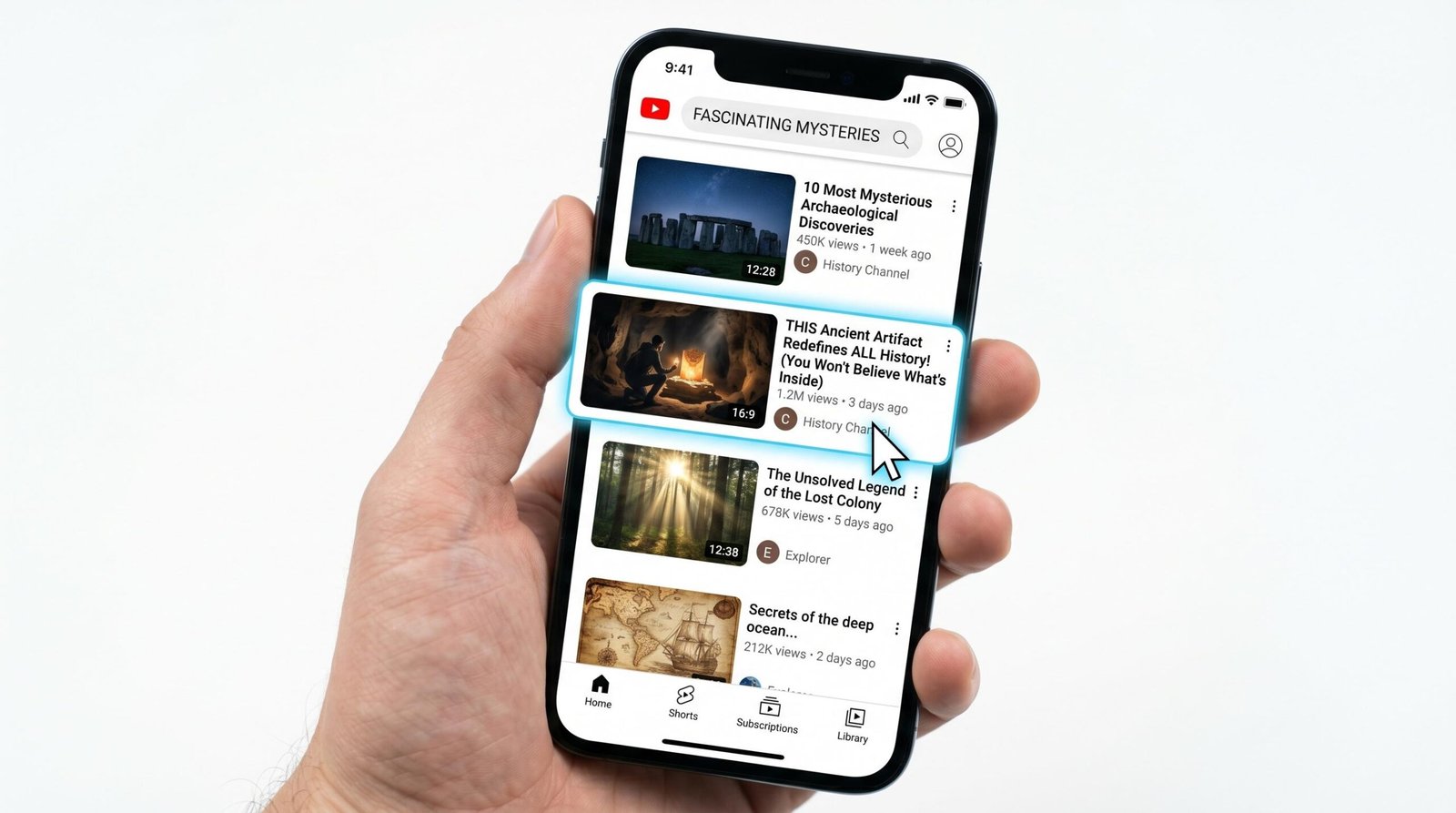
More than 70% of YouTube watch time happens on mobile devices. That changes the math on title length. On a phone in portrait mode, the visible title area is narrower, fonts are smaller, and viewers scroll faster. A title that reads beautifully on a 27-inch monitor can get clipped mid-word on a phone.
The fix: open your draft title on YouTube’s mobile app or in a phone-size browser window before publishing. If the part of the title that sells the click gets cut off, rewrite it.
The 8 YouTube Title Formulas That Drive Clicks
Every best youtube titles list eventually boils down to a handful of repeatable patterns. After analyzing thousands of high-CTR titles across niches, we keep seeing the same eight structures. Below is each one with a template, real examples, the type of video it suits, and when to reach for it.
Formula 1, The Curiosity Gap (“Why X Actually Does Y”)
Curiosity gap titles work because they create an information vacuum that the human brain physically wants to close. The title states something the viewer thought they knew, then reframes it as a mystery.
Examples that have worked:
- “Why Your Coffee Tastes Bad (And It’s Not the Beans)”
- “Why Pro Photographers Actually Use Cheap Lenses”
- “Why I Stopped Using Lightroom After 8 Years”
Use this when you have a counterintuitive finding, a story with a twist, or expert knowledge that contradicts common belief. Avoid it for routine how-to content because the gap will feel manufactured.
Formula 2, The Number List (“7 Things About X That…”)
Numbers do two jobs in titles. They preview the structure, which lowers the perceived cost of clicking, and they create a sense of comprehensiveness. Odd numbers (5, 7, 9) consistently outperform even numbers in CTR tests we have run, possibly because they feel less manufactured.
Examples:
- “7 Camera Settings Every YouTuber Gets Wrong”
- “5 Photoshop Tools I Wish I Knew at 20”
- “9 Cheap Travel Hacks Airlines Don’t Want You to Know”
Use this for tutorial roundups, review compilations, and tip videos. Pair the number with a specific outcome (“That Cost Me $10K”, “That Made My Channel Grow”) to amplify the click.
Formula 3, The How-To (“How to X Without Y”)
How-to is the workhorse of how to write youtube titles formulas because it matches search intent directly. The “without” twist removes a common barrier and reframes the promise. A plain “How to Edit Videos Faster” is fine. “How to Edit Videos Faster Without Buying Premiere Pro” is a click.
Examples:
- “How to Build a Studio Setup Without Spending $500”
- “How to Grow on YouTube Without Showing Your Face”
- “How to Sleep Better Without Pills or Apps”
This is your default formula for any tutorial video. It also performs reliably in search because how-to phrasing matches how viewers type queries.
Formula 4, The Challenge or Warning (“Stop Doing X Before You…”)
Warning titles tap into loss aversion, which behavioral research consistently shows is twice as motivating as the prospect of an equivalent gain. A study from Think With Google’s research on video engagement found that emotional triggers in titles, particularly those tied to risk avoidance, drove statistically higher click rates across categories.
Examples:
- “Stop Posting Shorts Like This (You’re Killing Your Channel)”
- “Don’t Buy a New Camera Until You Watch This”
- “Stop Drinking Coffee on an Empty Stomach”
Use sparingly. If every title on your channel is a warning, viewers tune it out. Reserve it for genuinely high-stakes mistakes your audience is likely making.
Formula 5, The Comparison (“X vs Y: Which One Is Actually Better”)
Comparison videos perform because they capture viewers in active decision mode. Someone searching “Sony A7IV vs Canon R6” is already considering a purchase. That intent makes them more likely to click and more likely to watch all the way through.
Examples:
- “iPhone 16 vs Pixel 9: Which Camera Is Actually Better”
- “Notion vs Obsidian: Which One Should You Pick in 2026”
- “Premiere vs DaVinci Resolve: I Used Both for a Year”
Use this when your video covers a real comparison with a clear verdict. Title-baiting a comparison and then dodging the answer is the fastest way to tank your audience trust.
Formula 6, The Revelation (“The Real Reason X Happens”)
The revelation formula promises insider information that everyone else is missing. It signals authority and exclusivity without being clickbait, as long as your video actually delivers.
Examples:
- “The Real Reason Your Sourdough Won’t Rise”
- “The Real Reason Most Channels Plateau at 1,000 Subs”
- “The Real Reason Pros Edit in 24fps”
Strongest for explainer videos, deep-dive analyses, and personal stories where you genuinely have an angle no one else covers.
Formula 7, The Time/Effort Promise (“X in Y Minutes”)
Time-promise titles work because they preview the effort cost of watching. Telling viewers they will learn something in 7 minutes lowers the activation energy needed to click.
Examples:
- “Learn Color Grading in 10 Minutes”
- “Fix Your Audio in Under 5 Minutes”
- “Get 100 Subscribers in 30 Days (Real Method)”
Be honest about the timeframe. If your “10-minute” tutorial actually takes 25, your retention curve will collapse and the algorithm will notice.
Formula 8, The Personalization Angle (“X for [Specific Audience]”)
Specificity wins. A title aimed at “people who already know basics” outperforms a generic version because it tells the right viewer “this is for you” and the wrong viewer “skip this.” That filtering improves both CTR among the right audience and retention because the wrong viewers do not click.
Examples:
- “Lightroom Tips for Wedding Photographers”
- “Budgeting for Freelancers With Irregular Income”
- “Strength Training for Runners Over 40”
Use this when your video has a tight niche fit. Niche specificity often beats broad keyword volume because the click-through and retention combo signals stronger relevance to the algorithm.
Title Formula Comparison: When to Use Each One
Use the table below to pick the right structure for your next video. CTR impact is estimated based on tests we have run and pattern data from public analytics.
| Formula | Best Video Type | Example | Expected CTR Impact | Risk Level |
|---|---|---|---|---|
| 1. Curiosity Gap | Counterintuitive findings, twist stories | Why Pros Actually Use Cheap Mics | +30 to +60% vs baseline | Medium (must deliver payoff) |
| 2. Number List | Roundups, tips, mistakes | 7 Editing Mistakes Beginners Make | +15 to +35% | Low |
| 3. How-To Without | Tutorials with a tradeoff angle | How to Edit Faster Without Paid Software | +20 to +40% | Low |
| 4. Challenge or Warning | High-stakes mistakes, myth-busters | Stop Posting Shorts Like This | +25 to +50% | High (overuse fatigues audience) |
| 5. Comparison | Reviews, head-to-head tests | Sony vs Canon: Which Is Worth It | +20 to +45% | Low (if verdict is clear) |
| 6. Revelation | Explainers, deep dives | The Real Reason Channels Plateau | +15 to +40% | Medium (needs genuine insight) |
| 7. Time Promise | Quick tutorials, fast wins | Fix Your Audio in 5 Minutes | +10 to +30% | Low (be accurate) |
| 8. Personalization | Niche-specific content | Lightroom for Wedding Photographers | +15 to +35% in-niche | Low |
Keyword Research for YouTube Titles
A great formula on the wrong keyword is wasted effort. Your title needs to align with what your audience actually searches and how YouTube’s recommendation system tags topics.
How to Use YouTube’s Search Suggest
The fastest free keyword tool is YouTube’s own search bar. Open YouTube in an incognito window (so personalization does not skew results), type the core topic, and note the autocomplete suggestions. Those suggestions are based on real query volume.
For example, typing “sourdough” might surface:
- sourdough recipe
- sourdough starter from scratch
- sourdough bread for beginners
- sourdough discard recipes
Each of those is a validated youtube title keywords opportunity. Pick the one with both decent volume (high in the suggest list) and tight relevance to your video’s actual content.
Finding Keywords Your Audience Actually Types
Search Suggest is the floor, not the ceiling. Layer in three more sources:
- Comment sections of competitor videos. The questions viewers ask in comments are unfiltered raw keyword data. If three commenters ask “how do you get the white balance to match outdoors?” that is a video title waiting to happen.
- Google Trends. Filter to YouTube search and your country to see momentum. A keyword trending up over six months is worth more than one with high static volume.
- Your own YouTube Studio search reports. Under Analytics > Reach > Traffic source: YouTube search, you can see the exact queries that brought viewers to your existing videos. Those are guaranteed-relevant terms for your channel.
Avoiding Over-Optimized, Unnatural Titles
Stuffing keywords is a CTR killer. A title like “Best Sourdough Recipe Easy Sourdough Bread Beginner Sourdough” reads like spam, and viewers scroll past spam. Use your target keyword once, naturally, near the front. If a secondary keyword fits without contorting the sentence, include it. If not, leave it for the description and tags.
Speaking of which, your title is one piece of a metadata system. The description and tags amplify the relevance signal your title sets. For a deeper look at the full picture, see our guide to writing a YouTube channel description that supports your video-level SEO, plus our walkthrough on generating YouTube descriptions with AI that complement strong titles.
CTR Psychology, The 3 Emotional Triggers That Make People Click
Formulas and keywords get you in the game. Emotional triggers win the click. Every high-CTR title pulls at least one of these three levers.
Curiosity and the Open Loop
Curiosity is the strongest single driver of clicks. An “open loop” is a question or pattern your title sets up without resolving. The brain wants closure, so it clicks to get it. Curiosity-gap titles, revelation titles, and even some comparison titles work because they open loops.
Research from the University of Chicago Booth School on the psychology of curiosity found that the urge to resolve information gaps activates the same neural pathways as physical hunger. That is why “I tried X for 30 days and the results surprised me” outperforms “My 30-day X experiment results.” The first version leaves a gap. The second closes it.
Self-Interest and WIIFM
What’s In It For Me. Every viewer asks it silently, in less than a second. If your title cannot answer in concrete terms, the click is gone.
Compare:
- Weak: “My Thoughts on Productivity”
- Strong: “Get 3 Hours Back Every Day With This Routine”
The strong version names the payoff. The weak version asks the viewer to take a leap of faith. Always ask: would my viewer, in their busy day, feel that they will gain something specific by clicking? If not, rewrite.
Social Proof and Authority
Borrow trust by signaling that other people, or experts, have already validated the topic. Phrases like “what 1,000 founders taught me,” “what pros use,” or “what science says” lower the perceived risk of a click. Authority signals work especially well in tutorial and review niches where viewers are wary of misinformation.
One caveat: do not invent the authority. Saying “what scientists say” when your video cites no studies will create a retention cliff at the moment viewers realize the premise was hollow.
How to A/B Test Your YouTube Titles
Guessing which title is best is fine. Testing which title is best is better. YouTube now offers a native A/B testing tool, and there is also a manual method that works well for older videos.
YouTube’s Built-In A/B Testing (YouTube Studio)
YouTube Studio includes a “Test & Compare” feature (originally launched for thumbnails, then expanded to titles for many creators). To run a test:
- Open the video in YouTube Studio.
- Go to the Editor or Test & Compare section.
- Submit up to three title variants. YouTube rotates them across impressions.
- The system measures watch-time share, not raw CTR, because YouTube cares about which title produces watched minutes, not just clicks.
- After a set period (typically 1-2 weeks), YouTube declares a winner and applies it automatically, unless you choose otherwise.
Use the built-in tool whenever it is available. It removes confounding variables like time-of-day traffic and audience composition because YouTube rotates the variants within the same impression pool.
Setting Up a Manual Test (When to Use It)
If your channel does not yet have access to Test & Compare for titles, or you want to test more than three variants, you can run a manual sequential test:
- Pick a video with steady, predictable daily traffic (older than 90 days, with consistent impressions).
- Write down baseline CTR and average view duration for the previous 28 days.
- Swap in your new title variant. Keep the thumbnail, description, and tags identical.
- Wait 14 days. Compare the next 14-day CTR and average view duration to the previous 28-day baseline.
- If CTR improves AND view duration holds or rises, keep the new title. If CTR rises but retention tanks, your new title is misleading and the algorithm will eventually punish it.
Manual tests are slower and noisier than native A/B tests, but they still beat picking titles by gut feel.
How Long to Run Tests and What to Measure
Run tests long enough to clear noise. For most channels, that means at least 1,000 impressions per variant or 14 days, whichever comes first. Smaller channels may need 30 days.
Measure these in order of importance:
- Watch time share (what YouTube’s native tool optimizes for): CTR multiplied by average view duration.
- Click-through rate: raw clicks per impression.
- Average view duration: if a new title spikes CTR but kills retention, you have built a clickbait trap.
- Subscriber gain per view: the truest measure that the right audience clicked.
Common Title Mistakes That Kill Your CTR
Even creators who know the formulas trip on the same mistakes. Watch for these:
- ALL CAPS for the whole title. Reads as shouting, screens out as spam. Use selective caps (one or two key words) instead.
- Burying the hook past character 50. If your payoff lives at character 80, mobile viewers never see it.
- Vague pronouns. “This Changed Everything” tells the viewer nothing. Name the thing.
- Clickbait that does not deliver. A title that promises a $10K result and shows $200 will tank retention and trust. The algorithm tracks both.
- Hashtags inside the title. Hashtags are allowed but they pull eyeballs away from the hook. Keep them in the description.
- Year stuffing when the content is not date-sensitive. Adding “(2026)” to a topic that does not change yearly looks lazy. Use the year only when the year matters.
- Copying competitor titles verbatim. Mimicking a structure is fine. Copying word-for-word makes you forgettable in suggested feeds.
- Title that contradicts thumbnail. If your title says “tutorial” and your thumbnail screams “vlog,” viewers feel deceived before they even click.
FAQ
How long should a YouTube title be?
Aim for 60 to 70 characters. YouTube’s hard cap is 100 characters, but display truncation kicks in around 60-70 characters on most surfaces, and even earlier on mobile grid views. Write the hook so it fits inside the first 50 characters and treat the rest as bonus context.
Should I put the keyword at the beginning of the title?
Yes, as close to the start as natural language allows. YouTube’s parser gives modest extra weight to early terms, and viewers scan left to right. Front-loading the keyword improves both search ranking and click-through rate on impression feeds.
Do hashtags in YouTube titles help SEO?
Marginally, and usually not enough to justify the readability cost. Hashtags in the title display as clickable links above the title, which can pull clicks away from your own video. Put one or two relevant hashtags in the description instead.
How often should I change my video title?
Only when you have a data-backed reason. We suggest leaving titles alone for the first 14 days after upload so the algorithm has clean data to work with. After that, if a video is underperforming, run a test with a new title variant. For evergreen content, retitling every 6-12 months can refresh discoverability.
Does changing a title hurt existing views?
Not directly. YouTube has stated that title changes do not penalize a video. What can hurt performance is a change that misaligns the title with the content’s existing audience signal. If your old title brought in a specific viewer profile and your new title attracts a different one, watch time may dip while the algorithm recalibrates.
What’s a good CTR for YouTube?
It depends heavily on niche and traffic source, but most videos land between 2% and 10%. Search traffic typically pulls 5-15% because intent is higher. Browse and suggested traffic average 3-7%. Anything above your channel’s own 28-day average is a win. Anything below 2% is a signal to test a new title or thumbnail.