

Do YouTube Tags Matter? The Honest 2026 Answer
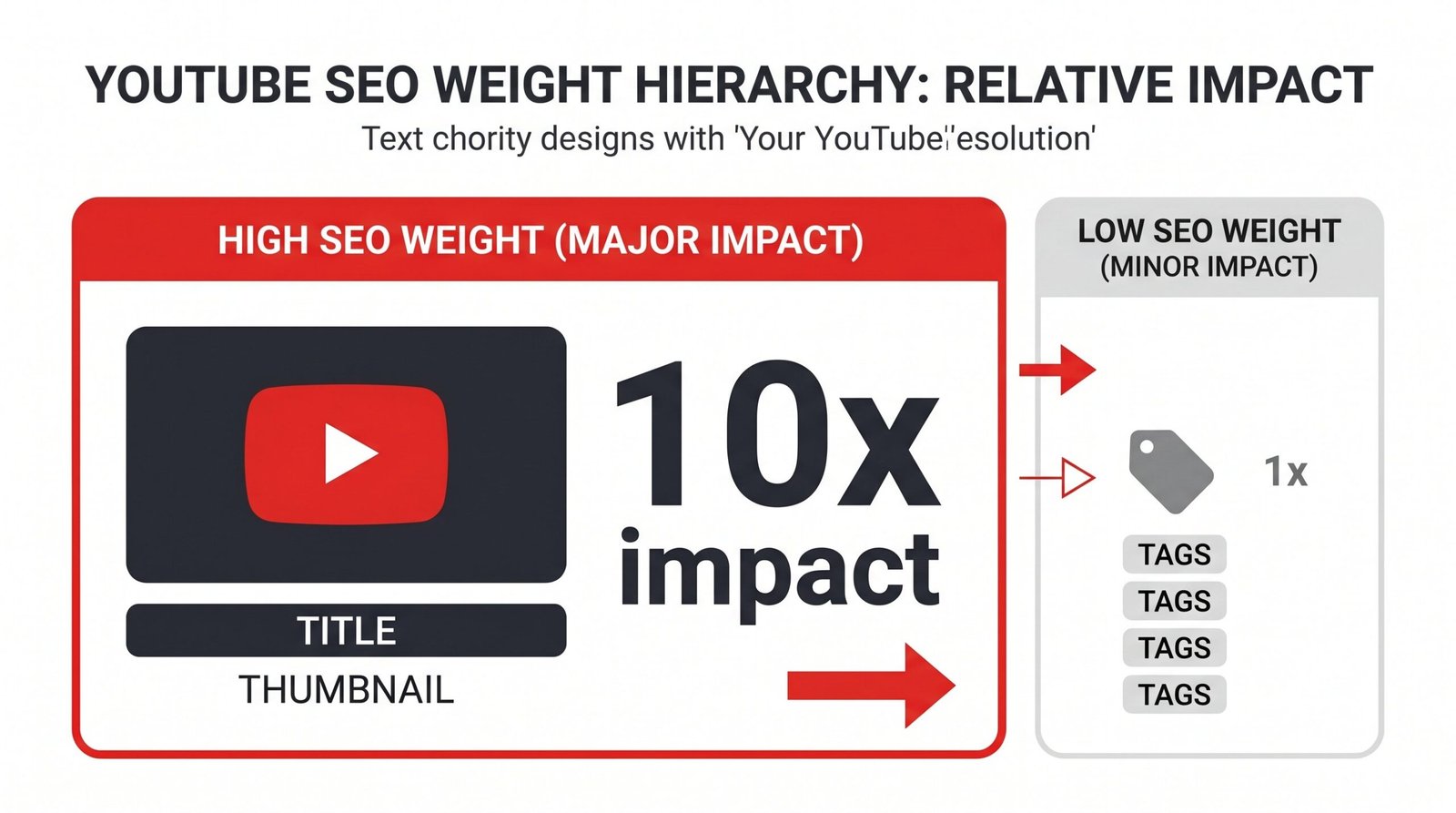
YouTube tags matter, but far less than most creators believe. YouTube’s own help documentation states tags play a minimal role in video discovery. Title, thumbnail, description, and watch time signals carry roughly 10 to 20 times more weight. Tags still help with three specific scenarios: catching common misspellings, disambiguating topics with similar names, and giving new channels a small contextual signal.

If you have spent more than ten minutes researching YouTube SEO, you have seen the same advice repeated: research perfect tags, copy competitor tags, fill all 500 characters. Most of that advice is selling you a tool. The actual answer is more useful and a lot less dramatic. Tags exist, they do something, and that something is small. This article walks through what YouTube has publicly said about tags, what independent studies show, and where your optimization time actually pays off.
What YouTube Officially Says About Tags
The clearest source on this question is YouTube itself. The official YouTube Help article on tags contains a single sentence that ends the debate for most use cases: “Tags can be useful if the content of your video is commonly misspelled. Otherwise, tags play a minimal role in your video’s discovery.”
That is the platform telling creators directly that title, thumbnail, and description matter more. The same article warns that adding excessive tags or stuffing them in the description violates spam policies. YouTube’s performance FAQ and troubleshooting page echoes this when it asks “How important are Tags?” and answers: “Not important. Tags are primarily used to help correct for common spelling mistakes.”
There is one piece of nuance worth pulling out. YouTube’s newer How YouTube search works documentation lists tags as one input the relevance system considers, alongside title, description, and video content. So tags are not invisible to the algorithm. They are simply one of the weaker signals.
This was not always the case. Tags were once publicly visible on video watch pages. In 2012, YouTube hid them from public view, noting that “publicly displayed tags were failing to help users find the videos they wanted to watch.” Since then, the platform has steadily moved toward content-based understanding. Audio transcription, visual recognition, and engagement signals now do the heavy lifting that keyword tags used to do.
How YouTube Tags Work, The Technical Reality
A YouTube tag is a descriptive keyword or short phrase you add to a video during upload. Tags are not visible to viewers on the watch page. They live in your video’s metadata where the algorithm can read them. Here are the hard limits worth knowing:
- You can use up to 500 characters of tags per video
- Individual tags can be up to 30 characters each
- Commas separate tags, and commas count toward your character total
- Tags are private metadata, not shown to viewers
YouTube’s algorithm uses tags as one contextual signal among many. Today’s recommendation system, as YouTube’s official blog has explained, learns from over 80 billion data points called signals, including clicks, watch time, survey responses, sharing, likes, and dislikes. Tags are one tiny entry in that list. The algorithm cares more about whether a viewer who clicks on your video stays and finishes it.
This is where modern AI changes the math. YouTube transcribes every video automatically. The platform reads your spoken words, captions, and on-screen text. If your video is about home espresso, YouTube knows that whether or not you tag it “espresso,” because you are saying the word throughout. The tag field is no longer doing the work it did when the algorithm had less data to learn from.
When Tags Actually Help
Tags are not useless. They serve a few narrow purposes well. Knowing those purposes lets you spend two minutes on tags instead of twenty.
| Scenario | Does the Tag Help? | Why | Priority Level |
|---|---|---|---|
| Your topic has common misspellings (e.g. entrepreneur, Nicaragua, handkerchief) | Yes, meaningfully | Tags catch search variations that title and transcript cannot | High |
| Ambiguous topic with multiple meanings (Python language vs Python snake) | Yes, modestly | Tags reinforce category when title alone is unclear | Medium |
| Brand or channel name (your own) | Yes, modestly | Branded tags help group your videos together for suggested feed | Medium |
| New channel with under 1,000 subscribers | Slight benefit | Algorithm has no audience history, tags provide early context | Medium |
| Suggested video placement in adjacent niches | Slight benefit | Tags can help YouTube relate your video to similar content | Low |
| Ranking for a competitive exact-match keyword | Barely | Title and watch time decide search ranking, not tags | Very Low |
| Going viral by copying tags from a popular video | No | Tag matching does not transfer ranking power between videos | None |
| Tagging trending topics unrelated to your video | Negative impact | Violates spam policy, can suppress distribution | Avoid |
The pattern here is consistent. Tags work as a small reinforcement signal. They do not work as a discovery driver, a ranking shortcut, or a substitute for clear titles and strong content.
What Matters More Than Tags
If tags are a 1 to 3 percent signal in the ranking equation, here is the other 97 percent. These are the levers that actually move views.
Title
A vidIQ keyword experiment found that adding a unique tracking term to a tag produced no search visibility, while adding the same term to a title produced search results within ten minutes. Your title is the strongest text signal you control. It needs to match what people actually search for and what they actually want to click on. Front-load your primary keyword. Keep it under about 60 characters so it does not get truncated.
Thumbnail and Click-Through Rate
CTR, short for click-through rate, is the percentage of people who click your video after seeing it in search or suggested feeds. A great thumbnail can double or triple that number. YouTube treats CTR as a quality signal. A high CTR tells the algorithm that more viewers want to see your video, which earns more impressions.
Description
The description is read by both YouTube’s algorithm and viewers who expand it. The first two lines appear in search results and below the video. Use them to clearly describe what the video covers and include your primary keyword naturally. A well-written description with timestamps and links carries more SEO weight than your tag list. We have a full YouTube description template walkthrough if you want a starting structure.
Watch Time and Audience Retention
Audience retention, the percentage of your video that viewers watch on average, is one of the strongest ranking signals YouTube uses. Two videos with identical titles, thumbnails, and tags will rank very differently if one keeps viewers for 70 percent of its length and the other loses them at 20 percent. The fix here is content, not metadata.
Chapters and Timestamps
Chapter timestamps in your description give YouTube structural data about your video. They power Key Moments in Google Search results and help viewers jump to the part they want. They also nudge retention upward because viewers feel more in control.
How to Choose YouTube Tags That Still Work in 2026
If you are going to spend two minutes on tags, spend them well. Here is the simple structure we suggest.
Tag 1: Exact-match primary keyword. This is the phrase your title is built around. If your video is about “beginner sourdough bread,” that exact phrase is tag one.
Tags 2 to 5: Phrase variations. Close cousins of your primary keyword. For sourdough bread, this might be “sourdough starter,” “how to make sourdough at home,” “sourdough recipe for beginners,” and “no-knead sourdough bread.”
Tags 6 to 9: Long-tail searches. Specific questions or scenarios your video answers. These rank for low-volume searches with high intent. Example: “sourdough bread without dutch oven.”
Tags 10 to 12: Broad category tags. One or two-word descriptors that help YouTube place your video in a niche. For our example: “baking,” “bread,” “home cooking.”
Tags 13 to 14: Misspellings, if applicable. Only if your topic has genuine common misspellings. Do not invent typos that nobody actually searches.
Tag 15: Your channel name. A branded tag helps YouTube group your videos for suggested placement to existing viewers.
Where do you find these tags? Three sources, in order of usefulness.
YouTube autocomplete. Type your primary keyword into the YouTube search bar and watch the dropdown. Those suggestions are real searches that real users are typing right now. Free, accurate, and built right in.
Competitor video inspection. Open a top-ranking video in your niche, right-click, choose View Page Source, and search for “keywords.” The tags will be listed in the page’s metadata. You can also use tools like TubeBuddy or vidIQ if you prefer a clean interface.
Google Trends and related searches. For trending topics, Google Trends will surface rising query variations. Use these to catch search interest before it peaks.
YouTube Tag Best Practices, A Quick Checklist
- Put your most important exact-match keyword first
- Use 10 to 15 tags totaling roughly 200 to 300 characters
- Mix exact-match, phrase variations, long-tail, and broad category tags
- Add misspellings only when they are real search patterns
- Include a branded tag with your channel name
- Skip generic single-word tags like “video” or “YouTube”
- Never tag competitor channel names
- Never tag unrelated trending topics
- Cap the time you spend on tags at five minutes per video
- Spend the saved time on your title, thumbnail, and first 30 seconds of content
Tags are the last item on your optimization checklist, not the first. For a structured view of the full creator workflow, our complete YouTube optimization checklist walks through every metadata field in priority order.
Frequently Asked Questions
Do YouTube tags still matter in 2026?
Yes, but only a little. YouTube’s own help documentation states that tags play a minimal role in discovery. They help in specific cases like misspellings, ambiguous topics, and new channels with limited viewing history, but title, thumbnail, and description carry far more weight.
How many YouTube tags should I use?
Use 10 to 15 focused tags. Independent research analyzing millions of data points suggests an optimal total tag length of 200 to 300 characters. Quality and relevance beat quantity every time. Filling all 500 characters with low-relevance terms does nothing for you and can dilute the contextual signal of the few tags that actually fit your video.
Does the order of YouTube tags matter?
Yes. Put your most important exact-match keyword first. YouTube appears to weight earlier tags slightly more heavily when interpreting your video’s primary topic. After tag one, ordering matters much less.
Can YouTube tags hurt my video?
They can. Using irrelevant, misleading, or trending tags unrelated to your content violates YouTube’s spam policies and can reduce distribution. Adding “MrBeast” or a viral movie title to a video that has nothing to do with either is exactly the kind of tag YouTube’s systems are designed to detect and demote.
Should I use competitor channel names as tags?
No. This is a common piece of bad advice. Using competitor channel names as tags violates YouTube’s policies, will not place your video in their suggested feed, and may flag your content for review. There is no upside.
Where can I find good YouTube tags?
Start with YouTube autocomplete by typing your keyword in the search bar. Check Google Trends for rising variations of your topic. Inspect competitor videos by viewing the page source and searching for “keywords,” or use tools like TubeBuddy and vidIQ that surface this data with a cleaner interface.
What matters more than tags for YouTube SEO?
Title, thumbnail, click-through rate, audience retention, and watch time. These signals carry roughly 10 to 20 times more weight than tags in YouTube’s ranking system, according to YouTube’s own creator research. A strong description with timestamps and a clear opening hook in the first 30 seconds will outperform any tag list.
The honest bottom line: tags are a small piece of YouTube SEO. They are worth doing well, but only because doing them well takes five minutes. Spend the rest of your optimization energy on the parts of your video that viewers actually see and respond to. That is where growth comes from.